How to Subscribe to Podcasts in JahSing 3, and Follow Along With Show Notes
Podcasts are just audio shows that arrive in installments. You do not need a special app or an account to listen to them. JahSing 3 has a Podcasts page where you can find a show, subscribe, and play its episodes in the same player you use for your own music. This guide takes you through it step by step, including a trick for adding any show by its feed address.
How podcasts actually work
A podcast is published through something called an RSS feed. That is a web address that holds a list of episodes. When you subscribe in a player, the player checks the feed now and then and shows you whatever is new. Nobody is tracking your listening just because of that. The feed is a public list, and the player is simply reading it. Because the format is open, any podcast player can follow any show.
Step 1: Open the Podcasts page
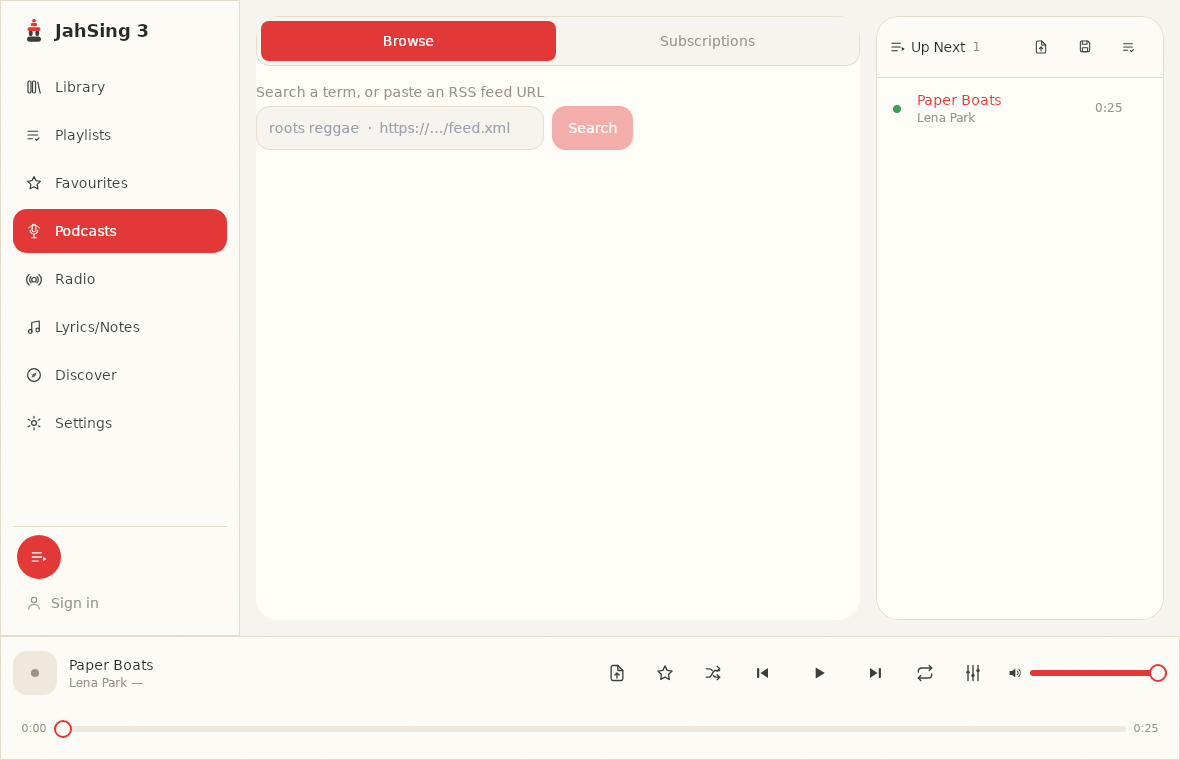
Click Podcasts in the list on the left. At the top you will see two tabs: Browse and Subscriptions. Browse is where you find shows. Subscriptions lists the ones you already follow.
Step 2: Find a show
There is one search box with a helpful label: “Search a term, or paste an RSS feed URL.” That gives you two ways to find a show.
Option A: search by topic or name
Type a word or two, such as “gardening” or the name of a show, and press Search. You will get a list of matching shows with their pictures and authors. Under the hood, JahSing 3 asks a podcast directory for matches. The app uses the free Podcast Index when you have set up a key (more on that below), and otherwise falls back to Apple’s search service, which needs no key. Either way, you get a list of results.
Option B: paste a feed address
If you already have the feed address of a show, perhaps from its website, paste it into the same box. When the box holds a web address, the button changes from Search to Preview. Press it and JahSing 3 loads the show so you can look it over before subscribing. This is the best way to add a small or private show that a directory may not list.
Step 3: Subscribe
Each result has a Subscribe button. Press it and the show moves to your Subscriptions tab. If you are already following a show, the button reads “Subscribed” instead. Subscribing does not download everything. It just remembers the show so it is easy to open.
Step 4: Listen to an episode
- Switch to the Subscriptions tab and click a show. The right side lists its episodes.
- Press the play button next to an episode to start it. It plays through the same engine as your own music.
- Use Play next or Add to queue on an episode to line it up with other things. This is handy if you want to hear an episode after the album that is playing now.
- Press Refresh at the top of the episode list to check the feed for new episodes.
Show notes and transcripts
Many podcasts publish a written version of an episode, or at least some notes. JahSing 3 has a page called Lyrics/Notes that does double duty. For music, it shows lyrics. For a podcast episode, it looks for a transcript from the show’s feed, and if there is none, it falls back to the show notes. If neither exists, it tells you “No transcript or show notes for this episode.” Notes are handy for finding links a host mentioned, or for following along in a noisy place.
Optional: add a Podcast Index key
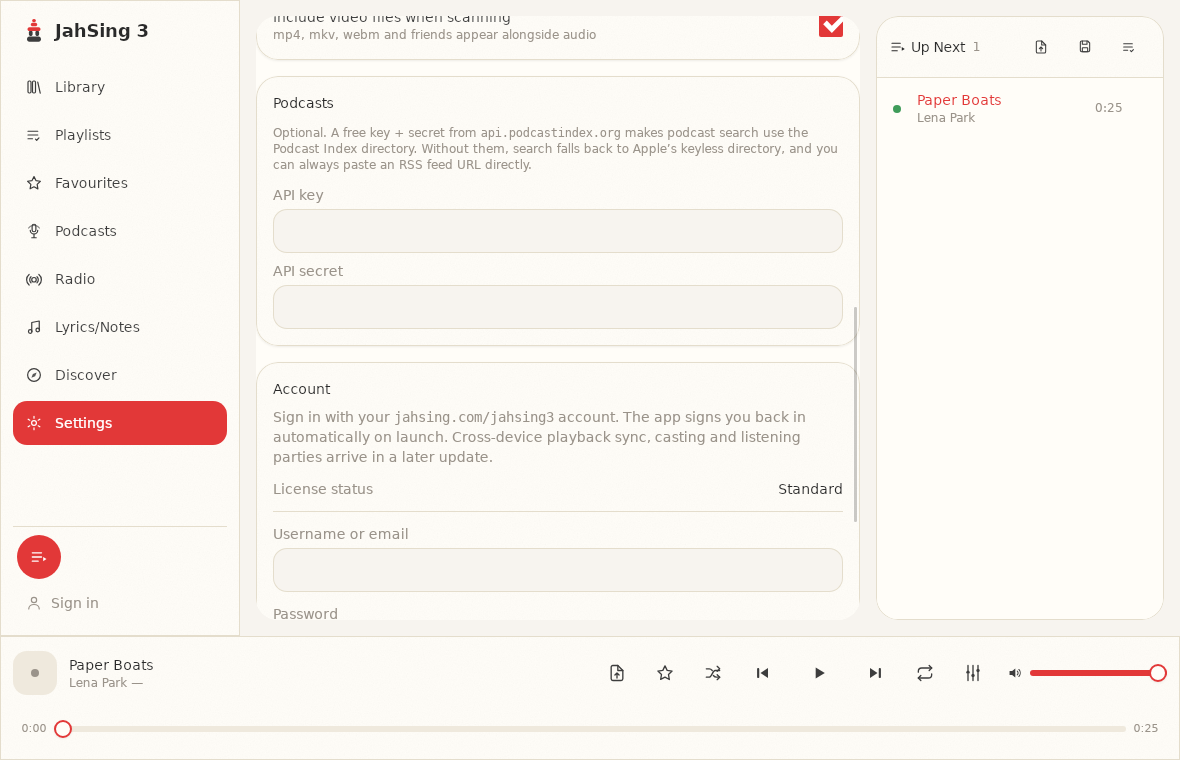
You do not need a key to search. If you want searches to use the Podcast Index directory, you can get a free key and secret from the Podcast Index site and enter them in Settings, in the Podcasts section. Without the key, search falls back to Apple’s keyless directory. You can also always paste an RSS feed address directly. The key and secret boxes are optional, and most listeners will never need them.
Tips for a tidy podcast habit
- Subscribe to a few, not forty. It is easier to keep up with a short list.
- Use the queue. Line up an episode before a walk or a drive. Remember that the queue is not kept when you close the app, so set it up each time.
- Keep episodes and music separate in your head. Your music library lists files on your own computer. Podcast episodes are streamed from the show’s server.
- Refresh before you go offline. Episodes stream from the internet, so you need a connection to play them.
A note on keeping your place
The JahSing Features page lists episode resume as part of its podcast support. Because every show and device behaves a little differently, it is a good idea to note your place in a long episode, such as a documentary, the first time you stop one, and check that it comes back to the right spot.
Privacy
JahSing 3 is local-first and, according to its Features page, has no telemetry. Your subscription list is stored in the app’s own database on your computer. Searching a directory, of course, means your search words go to that directory’s service, and playing an episode means contacting the show’s host. That is true of any podcast player.
In short
Search or paste, subscribe, press play. If you can add a folder of music, you can add a podcast. You can download JahSing 3 from the Downloads page.
Sources: JahSing Features; Podcast Index; RSS (Wikipedia); the JahSing 3 app’s own help text.