Playing Stream Links, .pls and .m3u Files: A Beginner’s Guide
Sooner or later, someone sends you a link that is supposed to play a radio station. It might be a web address that ends in a number like :8000, or a tiny file with a strange ending such as .pls or .m3u. Click it and your browser might do nothing, or offer to save a file you cannot open. This guide explains what these things are in everyday language, and how to use them in JahSing 3.
Two kinds of link
1. A direct stream link
This is a web address that points straight at a live audio stream, a bit like a tap that never turns off. Open it in a player and the sound starts. Stream addresses often include a port number, like http://example.com:8000/live. Nothing is downloaded in the usual sense, and there is no end to the file. The stream just keeps going.
2. A playlist file that points to a stream
This one is a small text file. It does not hold any music. It holds a note that says “the stream is over here.” The advantage is that a station can give you one stable file even if it changes the stream address behind the scenes. Three types are common:
- .m3u (and .m3u8): a plain list of addresses, one per line.
- .pls: a slightly more structured list with numbered entries and optional titles.
- .xspf: a list written in a format called XML, which can hold titles and other details.
If you open one in a text editor, they are easy to read. Here is an invented example of each. The addresses are made up and will not play.
An M3U file:
#EXTM3U
#EXTINF:-1,Example Radio
http://example.com:8000/live
A PLS file:
NumberOfEntries=1
File1=http://example.com:8000/live
Title1=Example Radio
Length1=-1
Version=2
Both say the same thing: there is one station called Example Radio, and the stream lives at that address. The M3U and PLS formats both date from the early days of internet radio and are still widely used.
Why does my browser not just play it?
Browsers are built to show web pages. When they meet a .pls or .m3u file, many of them treat it like any other download, because they do not know what it means. That is why you sometimes end up with a mysterious file in your downloads folder. The file is fine. It just needs a music player to read it.
Using playlist files in JahSing 3
JahSing 3 understands M3U, M3U8, PLS and XSPF playlists. There are two places to bring them in, depending on where the file is.
The file is on your computer
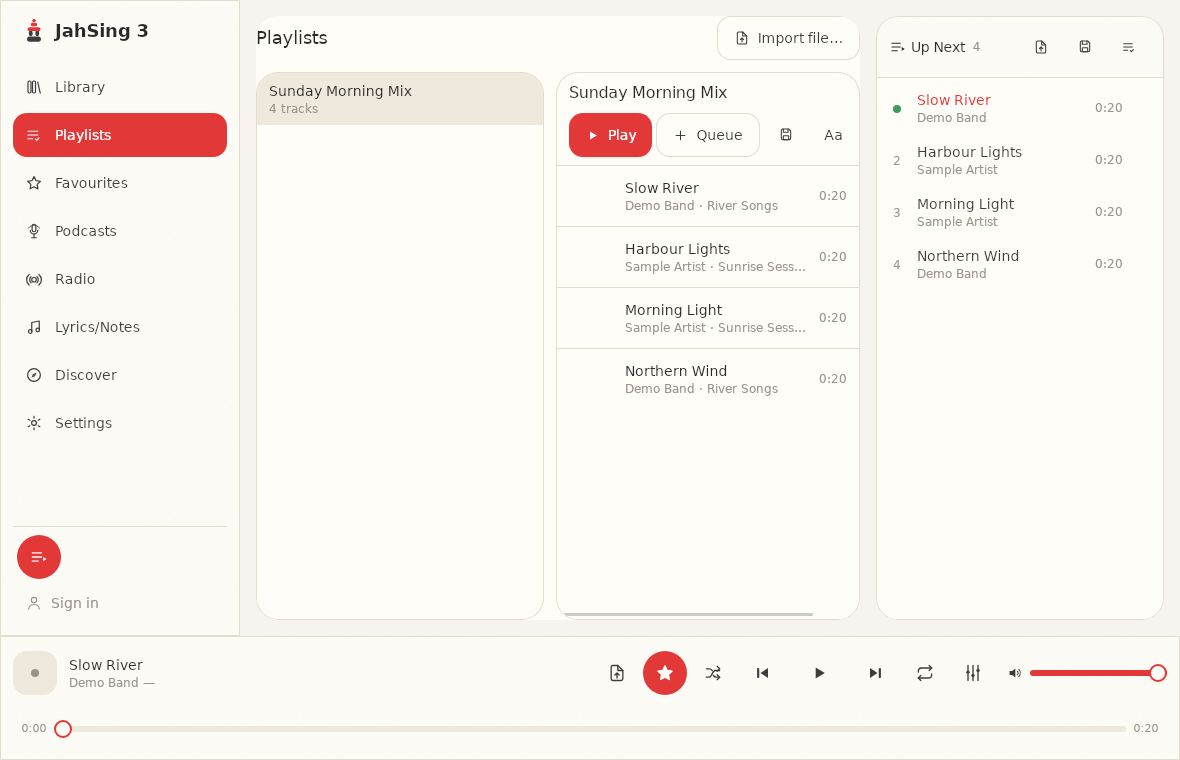
- Click Playlists in the list on the left.
- Press Import file… at the top right.
- Choose the .m3u, .pls or .xspf file.
- JahSing 3 reads it and creates a new saved playlist with the entries inside. Open the playlist to see them, and press Play.
The file is on the web
If you have a web address for the playlist file, there is another route that saves you the download. Open the Discover page and switch to the tab called Import a playlist URL. The box is labelled “Playlist URL (.m3u / .pls / .xspf).” Paste the address and press Import. The small note under the box says that streams and remote tracks are added as playable items, just like local files.
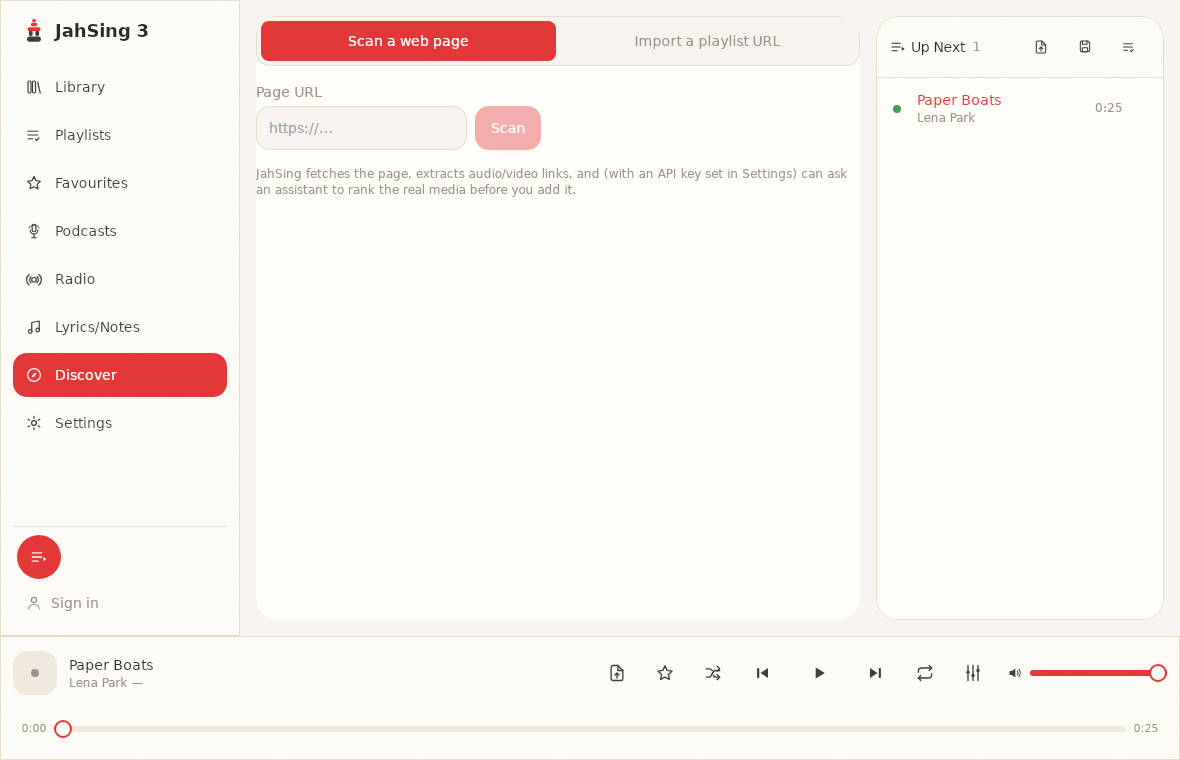
The same page has a first tab called Scan a web page. Paste the address of an ordinary web page and JahSing 3 will fetch it and look for audio or video links hidden in it. The page’s own help text says that, if you have set an API key in Settings, it can also ask an assistant to rank the real media links before you add them. That is optional. Use this one carefully, and only with sites that allow it.
What happens when it plays
A stream plays through the same engine as your own songs, with the same queue, volume and equalizer. Many stations also send along the title of the current song, which JahSing 3 can show as the “now playing” line. Our article on radio directories and how a player knows the song title explains how that works.
Streams are not like files
A few things behave differently, and it helps to know them in advance:
- There is no end. A live stream has no length, so you will not see a time bar that fills up.
- You cannot skip ahead. It is live. Seek controls do not make much sense.
- It needs the internet. If your connection drops, the sound stops. When the connection returns, you may need to press play again.
- Addresses change. Stations move and shut down. If a playlist stops working, the station may have changed its address. Look on the station’s own website for a fresh link.
- The queue is temporary. As with everything else, a queue is not kept between launches. Save it as a playlist if you want to keep it.
Troubleshooting
- The import finds nothing. Open the playlist address in a web browser, or the file in a text editor, and check that it contains stream addresses. Some “playlist” links lead to a web page, not a real playlist file.
- It imports but will not play. The station may be offline, or the address may be old. Try another station.
- It plays, then cuts out. This can be a weak or busy connection. A lower bitrate station uses less data. See our article on what bitrate means on a radio station.
- The sound is fine but the title is missing. Not every station sends song titles.
Be sensible about sources
A playlist file is only a list of addresses, so it is only as trustworthy as the place you got it. Stick to stations you know, or to well-known directories, and avoid files from unknown senders. A file that only lists web addresses is unlikely to do any harm, but there is no need to load a stranger’s list of streams either.
In short
A stream link plays directly. A .m3u, .pls or .xspf file is a small note that points to one. In JahSing 3, import a file from the Playlists page or a web address from the Discover page, and the stream becomes an item you can play and queue. You can download JahSing 3 from the Downloads page.
Sources: M3U (Wikipedia); PLS (Wikipedia); XSPF (Wikipedia); JahSing Features; the JahSing 3 app’s own help text.