What Bitrate Means on a Radio Station, and Why It Changes the Sound
Look at any station card in JahSing 3’s Radio page and you will see a little line such as “MP3 · 128 kbps · Jamaica.” The country is easy to understand. The format is a type of audio file. But what about the number? It matters more than most people realise, since it affects how a station sounds, how much data it uses, and how well it copes with a poor connection. This guide explains it in plain terms.
Bitrate in one sentence
Bitrate is the amount of information sent for each second of sound. It is measured in kbps, short for kilobits per second. A higher number means more information is sent every second, which usually means better sound and more data used. A lower number means less information, which means smaller data use and sound that is a little rougher.
An everyday comparison
Imagine describing a painting to a friend over the phone. If you only have ten seconds, you can say “a blue house under a grey sky.” With a minute, you can mention the shutters, the garden gate and the clouds. The extra time lets you share more detail. Bitrate is like the length of that phone call, repeated every second.
What the numbers mean for sound
Radio streams are usually lossy, which means that they throw away detail that most people will not miss. A higher bitrate throws away less. As a rough guide:
- Around 24 to 48 kbps: fine for speech, such as news or talk. Music will sound thin and a bit watery.
- Around 64 kbps: acceptable for casual music, especially with a modern format like AAC. You will notice it on cymbals and quiet details.
- Around 128 kbps: the most common setting for music stations. It sounds good on ordinary speakers and headphones.
- Around 192 to 320 kbps: high quality. Differences from 128 are subtle for many listeners but easier to hear on good equipment.
These are general guides and not hard rules. Opinions vary and results depend on the music, your equipment and your ears.
The format matters too
The same bitrate does not sound the same in every format. Newer formats such as AAC, and the open format Opus, are more efficient than MP3. A 64 kbps AAC stream can sound about as good as a higher-bitrate MP3 one. That is why the station card shows the format as well. When you compare two stations, compare the format and the number together. Our article on choosing an audio format goes into this.
What the numbers mean for your data
A stream uses data all the time it plays. The chart below shows rough amounts per hour of listening.
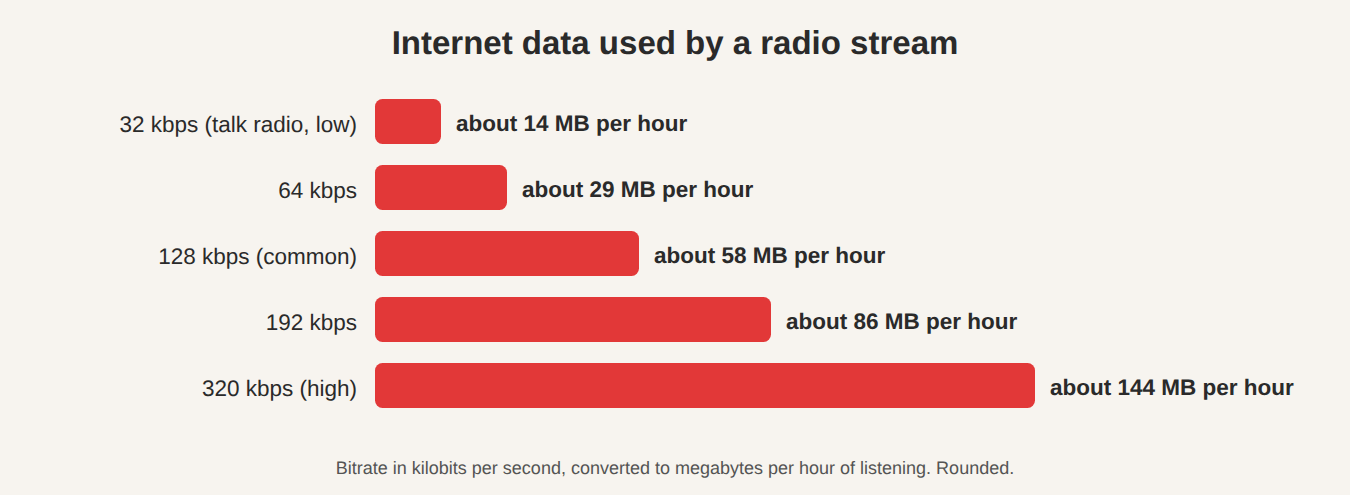
The sums are simple. A stream at 128 kbps sends 128,000 bits each second. Divide by 8 to get bytes, and multiply by 3,600 seconds in an hour, and you get about 58 megabytes. That is fine on home broadband. On a mobile plan with a small data cap, a few hours a day of 320 kbps can add up quickly, so a 64 kbps station is kinder to your allowance.
What the numbers mean for reliability
Higher bitrates need a steadier connection. If your internet is slow or patchy, a high-bitrate stream may stutter, because the data cannot arrive fast enough. A lower bitrate has a better chance of playing without breaks. If a favorite station keeps cutting out, see whether the same group offers a lower-bitrate version, or pick a different station.
Where to see the number in JahSing 3
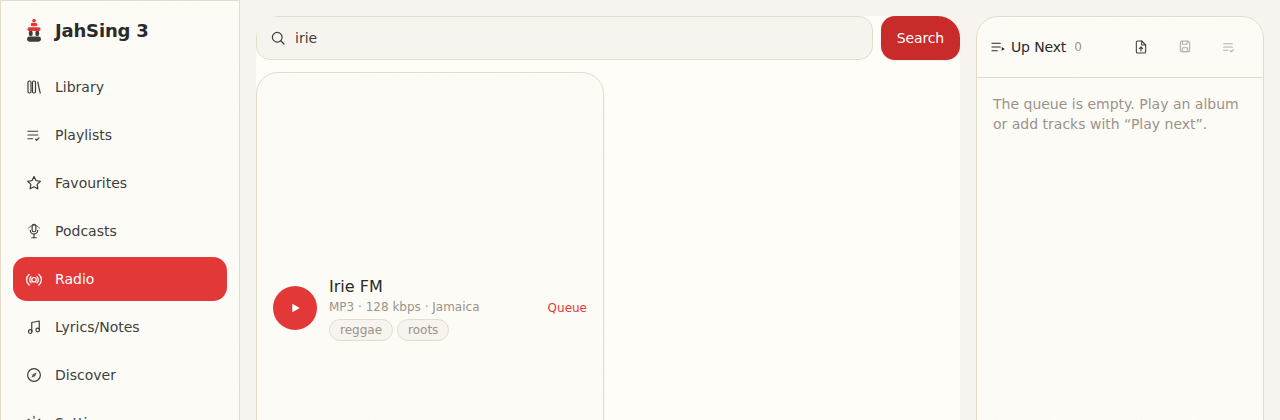
On the Radio page, each result shows the format, bitrate and country in a line of small text. That line is a quick way to compare stations before you press play. The number comes from the directory, so it reflects what the station says it is sending.
When a stream is playing, the app can also read details sent by the station itself, including a bitrate figure. The project’s radio code looks for the standard “icy-br” and “icy-bitrate” fields that Shoutcast and Icecast stations send when you connect. You do not need to know that to use it, but it explains why the number sometimes differs slightly from the directory’s.
Does the equalizer help?
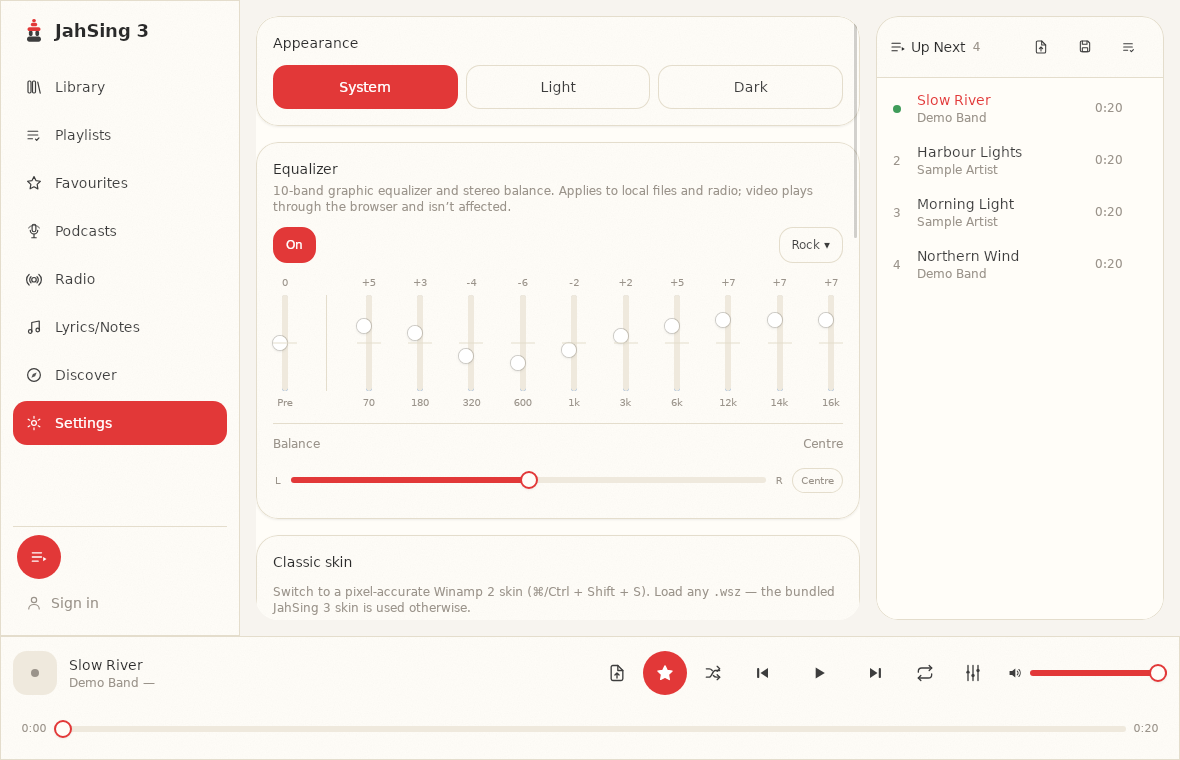
A little. JahSing 3’s 10-band equalizer applies to radio as well as local files, according to the text on the Settings page. A low-bitrate stream can sound dull or harsh, and a gentle adjustment may make it easier to listen to. It cannot put back detail the station never sent, so do not expect miracles. For more, see our beginner’s guide to the equalizer.
How to choose
- Talk and news: 32 to 64 kbps is plenty.
- Everyday music: 128 kbps is a safe default.
- Careful listening: 192 kbps or more, if your connection can handle it.
- On a phone with limited data: prefer the lower end, and listen on wifi where you can.
- Unreliable connection: go lower to stop stuttering.
A fair warning about the numbers
Bitrate is not a quality guarantee. A station can send a high bitrate of poorly mastered music, or a low bitrate that is carefully encoded and sounds fine. Treat the number as a hint, then trust your ears.
In short
Bitrate is how much sound information a station sends each second. More means better sound and more data. Less means smaller data use and a rougher sound. Pick the setting that fits your music, your connection and your allowance. You can download JahSing 3 from the Downloads page.
Sources: Bit rate (Wikipedia); Shoutcast (Wikipedia); radio-browser.info; JahSing Features. Quality ranges are rules of thumb.