Time-Synced Lyrics: How Sing-Along Lyrics Work and Where They Come From
You press play, open the Lyrics page, and the words of the song appear. As the singer moves through the verse, each line lights up at just the right moment. It feels almost magical, but the idea is simple. This article explains how those moving lyrics work, where JahSing 3 finds them, and what to try when a song comes up empty.
Two kinds of lyrics
There are two ways lyrics can be stored with a song.
- Plain lyrics are just the words, like a printed lyric sheet. They tell you what is being sung, but not when.
- Synced lyrics (short for synchronized) have a time stamp before each line. A player reads the stamps, watches the clock and highlights the right line as the song moves along.
JahSing 3 handles both. When synced lines are available, it highlights the current one. When only plain lyrics exist, it shows them as text.
What an LRC file looks like
The most common format for synced lyrics is called LRC. It is a plain text file, and you can read it yourself. Each line starts with a time in square brackets, written as minutes, a colon, seconds, a dot and hundredths of a second. Here is an invented example:
[00:12.00] Fold the paper into boats
[00:16.50] Set them on the evening stream
[00:21.00] Every one a little wish
[00:25.50] Carried through a quiet dream
The player reads the first number, waits until the song reaches twelve seconds, and highlights that line. Four seconds and a half later, it moves on. Some LRC files repeat a time stamp for a chorus that returns several times. JahSing 3’s lyrics reader understands that style, where the same line has several stamps in a row.
Where JahSing 3 finds lyrics
When you play a song and open the Lyrics/Notes page, JahSing 3 looks in several places, starting with the cheapest and quickest and working outward. According to the project’s notes, the order is:
- Inside the file. Some music files carry their lyrics inside the song’s tag, along with the title and artist. If there is text there, JahSing 3 shows it. This kind appears as plain text.
- A saved result. If JahSing 3 has found or created captions for that song before, it reuses what it kept, with no new search.
- The internet. If nothing is stored locally, JahSing 3 asks LRCLIB, a free lyrics service that needs no key or sign-up. It offers both synced and plain lyrics.
- Alongside a video. For a local video file, it also looks for a caption file with the same name next to the video, ending in .vtt or .srt.
For podcast episodes, the page works differently. It looks for a transcript linked from the show’s feed and, failing that, falls back to the show notes. Our article on podcasts in JahSing 3 covers that.
Why LRCLIB?
JahSing 2 used to find lyrics by reading web pages from sites such as Google and LyricWiki. Those sources are long gone, but a more agnostic and available solution replaced them – LRCLIB. It is an open service built around exactly this job: time-stamped lyrics, offered through a simple interface with no account needed. That fits JahSing’s local-first approach, because there is no sign-in and nothing to pay for. Of course, looking up lyrics online means contacting the service, so this is one of the features that needs an internet connection.
How the lookup decides what to ask for
JahSing 3 does not search by guessing. It asks LRCLIB for a specific match using the song’s artist, title and, when it has them, the album and the length in seconds. That is why good tags matter. If a song is labelled “track07” with no artist, the service has little to match against. If the length is far from the version LRCLIB knows, the lyrics may be for a different cut of the song.
Why a song might have no lyrics
- It is an instrumental. There is nothing to show.
- The tags are missing or wrong. A typo in the artist or title can stop a match. The fix is in the tag editor. See our guide to fixing missing tags.
- It is a rare recording. Live versions, remixes and self-released songs may not be in the service.
- You are offline. No connection, no lookup. Songs that already carry lyrics inside the file will still show them.
- The service does not have it yet. The collection is built by people, and new or obscure songs take time.
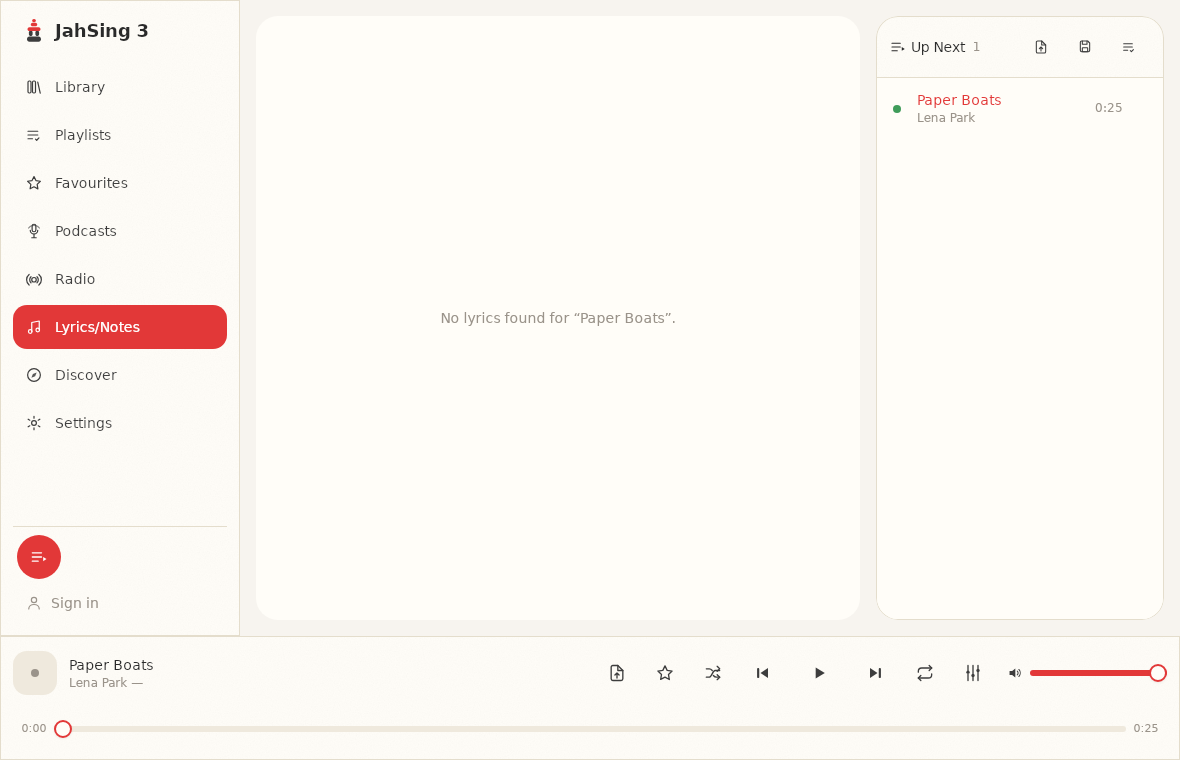
When nothing is found, the page says so plainly: “No lyrics found” with the song’s name.
A tip for a better match
If you are fairly sure a song should have lyrics, check these in the Edit tags window:
- The title is the plain song name, without extras such as “(remastered 2011)” or “[official audio]” if you can avoid them.
- The artist is the main artist, spelled the usual way.
- The album matches the release where the song first appeared.
Fix whichever is off, save, and open the Lyrics page again.
Pro features for songs with no lyrics
When no lyrics can be found, JahSing 3 offers extra tools. On-device caption generation (turning the audio into written text on your computer) and song identification are JahSing 3 Pro features that can help in getting the tags of a song correct, so the lyric lookup is successful. The free player still shows lyrics whenever the sources above can supply them.
Do lyrics work for radio?
Live radio has no fixed lyrics to look up, because the station could be playing anything. For live streams, the app uses a separate caption view instead of the usual lookup. Live captions are tied to a Pro license in the current app. See the Features page for the latest on what is included.
Singing along in practice
- Keep the Lyrics/Notes page open on a second monitor or a tablet while music plays on the main screen.
- Use the queue to line up a few songs you know, and sing the evening away.
- If a line seems slightly out of step with the singer, remember that the timing comes from the people who created the lyric file, and not every file is perfectly precise.
In short
Synced lyrics are plain text with time stamps. JahSing 3 checks the file first, then its own saved results, then the free LRCLIB service. Good tags make good matches. If you want to add your own lyrics, see our companion article on adding your own lyrics. You can download JahSing 3 from the Downloads page.
Sources: LRCLIB; LRC file format (Wikipedia); JahSing Features; the JahSing 3 app and its project notes. The lyric text shown above is invented for this article.