Favorites in JahSing 3: Building a “Best Of” Without Effort
Making playlists takes thought. You have to pick a theme, choose songs, name the list and keep it tidy. Sometimes you just want to say, “I like this one,” and move on. That is what favorites are for. In JahSing 3 a single click on a star adds the song to a running “best of” list, and the list is waiting for you whenever you want it. This guide shows how it works and how to get the most out of it.
What favorites are, and what they are not
A favorite is a mark on a song that says “keep this handy.” JahSing 3 gathers all your marked songs on one page. They are kept in the order you added them, so the list slowly becomes a diary of what you liked, oldest at the top.
That is different from a playlist in a few ways:
- You do not name or plan a favorites list. There is just one.
- Adding takes one click while the song is playing.
- The list grows by itself as you listen, and shrinks when you un-star something.
Playlists are for specific occasions. Favorites are for the songs you would grab first on any day. Our article on playlist habits covers the other side of this.
How to add a favorite
- Play a song, from the library, a playlist or the queue.
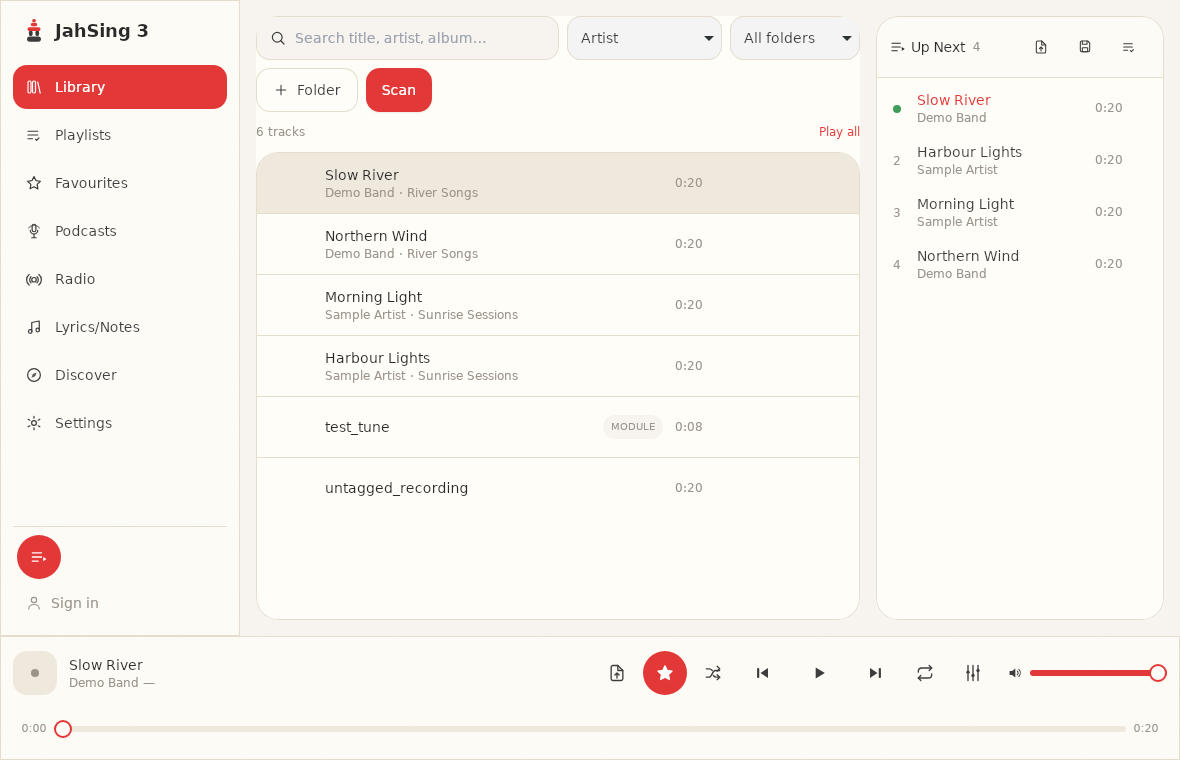
- Look at the player bar at the bottom of the window. Next to the shuffle button is a star.
- Click the star. It fills in red, and the song is now a favorite.
To remove it, click the star again. The label on the button changes between “Add to favourites” and “Remove from favourites,” so you can always tell what it will do.
A small note on spelling: the app writes “Favourites” with a “u,” and so do the button labels. It is the same thing.
Where to find your favorites
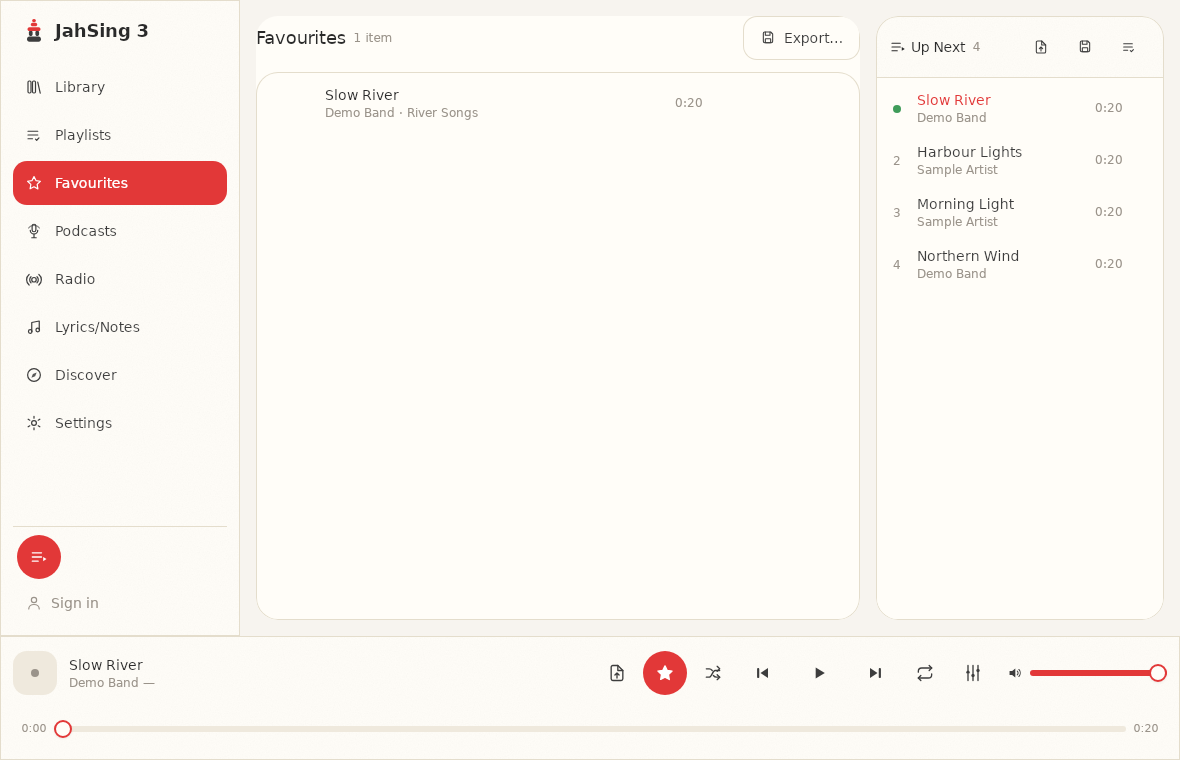
Click Favourites in the list on the left. You will see all your starred songs and a count at the top, such as “1 item.” Each row has a play button, and when you hover over a row you get these small buttons: Play next, Add to queue, and Remove from favourites.
Five ways to put favorites to work
1. Make a “best of” without making a playlist
Over a few weeks of normal listening, tap the star whenever a song lifts your mood. Soon you have a real “best of” with no extra effort. It reflects what you actually enjoy rather than what you planned to enjoy.
2. Play the whole list
Use the play buttons on the page, or add the songs to the queue with “Add to queue,” one by one. This is a good way to start a long evening of music without choosing anything.
3. Use it as a first pass for a playlist
If you want a playlist for a certain occasion, look at your favorites first. Add the ones that fit to the queue, then save the queue as a named playlist. You will likely have a better set than if you had started from the full library.
4. Back it up
The Export button at the top of the Favourites page saves your list as a playlist file named favourites.m3u by default. M3U is a very common format that many other players understand. Keep that file somewhere safe, and you have a record of your favorites even if you move to another computer.
The button is greyed out when the list is empty, since there is nothing to export yet.
5. Spring-clean now and then
Tastes change. Every so often, scroll through the page and remove songs you no longer love. The Remove button on each row does the job without confusion.
Tips for a better favorites list
- Be a little stingy. If everything is a favorite, nothing is. Save the star for songs you would be pleased to hear any time.
- Fix tags as you go. If you spot a typo in a favorite’s title, correct it in the tag editor. Our guide to fixing missing tags shows how.
- Keep your folders steady. Favorites point to songs in your library. If you move a folder and rescan, check that your favorites still show up.
Common questions
Is there a limit? No. The list is stored in your local library database.
Do favorites sync between devices? Not yet. JahSing 3’s roadmap has optional cross-device sync as a planned feature for a later phase. Your favorites live on the device where you made them.
Can I order them by hand? They are shown in the order you added them.
Do I need an account? No. Favorites work on any installation without signing in.
In short
Favorites are the lowest-effort way to keep track of music you love. One click to add, one page to see them all, and one button to back them up. If you have not tried it, play a song you like right now and press the star. You can get the player from the Downloads page.
Sources: JahSing Features; JahSing About & Roadmap; M3U (Wikipedia).