What Is Gapless Playback, and Why Live and Concept Albums Need It
Imagine listening to a live album where the crowd noise carries across from one song to the next. Or a classic concept album where the last note of track four melts into the first note of track five. Then, right at the join, the music stops for half a second. The mood breaks. That little hole is what people mean when they talk about “gaps,” and gapless playback is the cure.
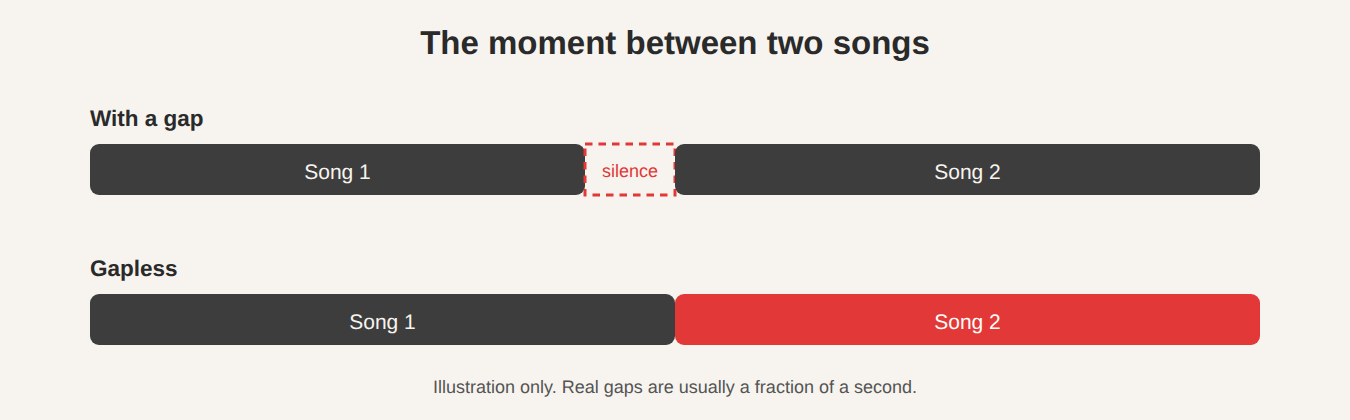
Which music suffers most?
Not every album cares. If your songs are separate and each begins with silence, a small pause goes unnoticed. Gaps are most obvious on:
- Live albums, where the audience carries on between songs.
- Concept albums, where tracks are written to run together. Many classic records fall into this group.
- DJ mixes and electronic albums, where a beat is supposed to continue without a break.
- Classical works, where one piece may be split into several tracks (movements) that follow each other closely.
Why do gaps happen?
There are two main reasons.
1. The player is slow to switch
A simple player finishes song one, then starts to open song two. Opening a file, reading its beginning and starting the sound takes a moment. If the player does not prepare the next track ahead of time, you hear silence while it works. Gapless-capable players load the next track while the current one is still playing, so the hand-off is instant.
2. The file itself contains extra silence
This one is trickier, and it mostly affects MP3 files. When an encoder squeezes music into an MP3, it works on small chunks of sound, so it usually adds a little silence at the start and pads the end to fill the last chunk. The MP3 format has no built-in way to record how much padding was added, and the amount can differ from one encoder to another. Without that information a player cannot know what to trim.
The popular LAME encoder, which is widely used, stores the details in a small extra note in the file. Players that read that note can remove the padding and play without a gap. Files that were made without that note may still have a very short pause, whichever player you use.
Other formats are better behaved. Formats such as FLAC, Ogg Vorbis and many AAC files record the exact length of the music, so a good player can join them cleanly.
What JahSing 3 offers
Gapless playback is among JahSing 3’s features, and allows streams and local files to transition seamlessly in the same queue. In practice, that means you can line up an album and let it play. To build a set that will play in order:
- Scan your music folder so the songs show up in the library.
- Play the first track of the album, then use the “Add to queue” button (the plus sign) on the other rows, in album order, to line up the rest. (Using Play replaces the current queue, so start with the first track.) Songs queued this way appear in the Up Next panel on the right.
- Press play and let the queue run. Use the repeat and shuffle buttons in the player bar if you want to loop the album or mix it up.
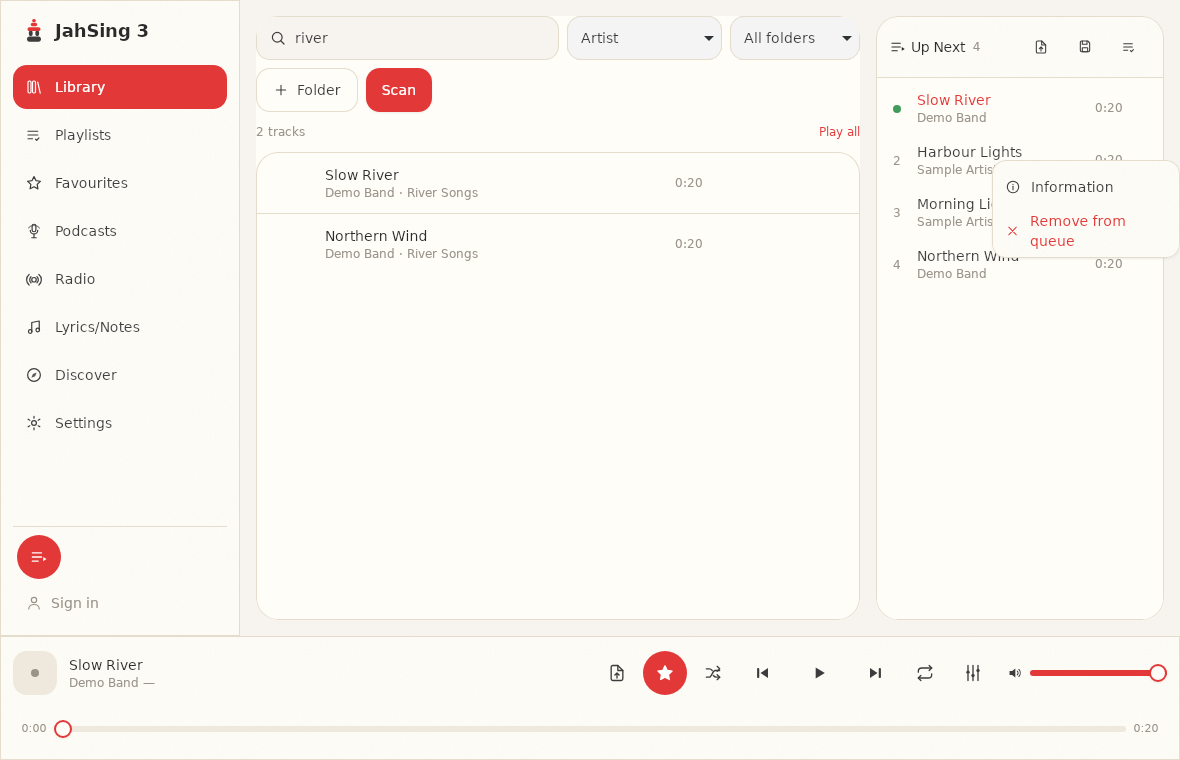
One thing to keep in mind: “Play next” places a track right after the one that is playing. If you add several one after another, each new one goes in front of the last, so add the songs in reverse order (last song first) to end up with the right running order. It is a small quirk, and worth knowing before a long set. The “Add to queue” button (the plus sign) puts a song at the end of the queue instead.
Tips for a seamless album
- Prefer FLAC, ALAC or AAC for albums that run together. They store the exact length, which makes smooth joins more likely.
- Rip an album as a whole. If you convert tracks one by one with different settings, you can add small gaps. Using the same settings for the whole disc is safer.
- Keep the track order right. A tidy library helps here. Make sure track numbers and album names are filled in so songs line up in the right order. Our article on fixing missing tags shows how.
- Listen for the join. Try playing the last 30 seconds of one track into the next, with headphones on, and decide if the transition sounds natural to you.
A fair note on limits
Whether a particular join is completely seamless depends on both the player and the file. If you notice a gap in an MP3 album and you suspect the file, try the same album in a lossless format or re-encode it with a tool that writes gapless information. Every player is limited by what the file tells it.
In short
Gapless playback matters for any music that is meant to flow. Choose formats and files that cooperate, line up your album in the queue, and let it run. You can download JahSing 3 from the Downloads page and try it with your own favorite album.
Sources: Gapless playback (Wikipedia); Hydrogenaudio forum thread on encoder delay and padding; JahSing Features.