ID3, Vorbis Comments and MP4 Tags: What Your Music Files Remember About Themselves
When a player shows “Blue Harbour, Night Ferry, Harbour Songs, 1998,” where does it get those words? Not from the sound itself. Every music file carries a small block of text on the side, called a tag, and that is what your player reads. The slightly confusing part is that there is more than one kind of tag. MP3 files use one system, FLAC and Ogg files use another, and M4A files use a third. This article explains all three in plain language and shows how JahSing 3 deals with each.
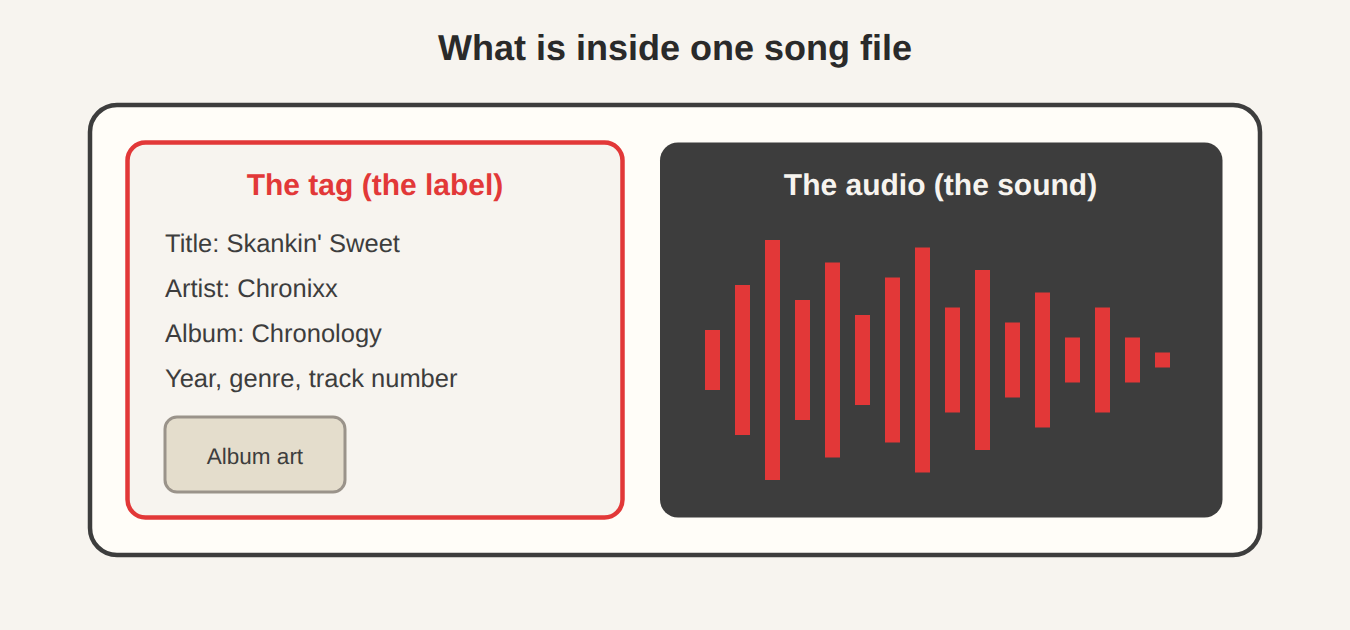
Why more than one system?
Music formats were invented at different times by different groups, each solving the same problem in its own way. There was no single rulebook, so each format grew its own way to store labels. The result is that a tag written for an MP3 cannot simply be pasted into an FLAC file. A player has to know how to read each one. That is why having a single tool that understands them all is so handy. The JahSing 3 project’s own notes say that its tag handling replaced a stack of hand-built tag readers with a single maintained library covering every format.
ID3: the tag system for MP3 files
ID3 is the family of tags used by MP3 files, and it comes in two main generations.
ID3v1: the original
The first version was very simple. It put a fixed block of 128 bytes at the very end of the file, with fixed slots for title, artist, album, year, a comment and a genre number. Each text slot was only 30 characters long, so long titles were chopped off. It had no room for cover art and could not handle many languages. You can see a description at the ID3 page on Wikipedia.
ID3v2: the flexible one
ID3v2 fixed those limits. It sits at the start of the file, and it is made of flexible “frames,” each with a four-letter name. A few you might know: TIT2 for the title, TPE1 for the lead artist, TALB for the album, TRCK for the track number, TPOS for the disc number and APIC for an attached picture, which is how cover art is stored. Text can be in many languages, and a tag can be large. The details are in the ID3v2.4 frame list. Almost every MP3 you meet today uses ID3v2.
That frame system is also how lyrics, comments and many other details are stored. It is the reason an MP3 can carry so much information beyond the basics.
Vorbis comments: FLAC and Ogg
FLAC, Ogg Vorbis and Opus files use a much simpler system called Vorbis comments. Despite the name, it is not limited to Vorbis audio. A Vorbis comment is a list of plain “name equals value” pairs, like this:
TITLE=Night Ferry
ARTIST=Blue Harbour
ALBUM=Harbour Songs
TRACKNUMBER=1
DATE=1998
GENRE=Folk
There is no fixed list. Anyone can make up a new name, which makes the system very flexible, though it also means that different programs sometimes use different names for the same idea. The official Vorbis comment specification suggests a standard set of names. Because the system is so plain, it is also easy to read and repair with a text-style tool.
MP4 tags: M4A files
M4A files, which hold AAC or Apple Lossless audio, use the tag system of the MP4 container. Information is stored in small named boxes called atoms. Many of them have odd-looking four-character names that start with a copyright symbol, such as the one for the song name, and others for artist, album and so on. Cover art is stored in a “covr” atom. This is the system used by files that came from Apple’s iTunes, and it is why those files carry their labels so reliably.
A table to hold it all together
| File type | Tag system | Where it sits | Cover art |
|---|---|---|---|
| MP3 | ID3 (usually v2) | Start of the file (v2) or end (v1) | Yes, in ID3v2 |
| FLAC, Ogg Vorbis, Opus | Vorbis comments | Inside the file’s header area | Yes, through an embedded picture block |
| M4A (AAC, ALAC) | MP4 atoms | Inside the file’s metadata box | Yes, in the “covr” atom |
| WAV | Limited (simple chunks, sometimes ID3) | Varies | Rarely |
What JahSing 3 does with them
According to the Features page, JahSing 3’s tag editor edits title, artist, album, album artist, genre, year, track and disc numbers and comments, and it writes to ID3, Vorbis comments and MP4 atoms. In everyday use that means you open the Edit tags window the same way for any song, and the program takes care of the right system for that file.
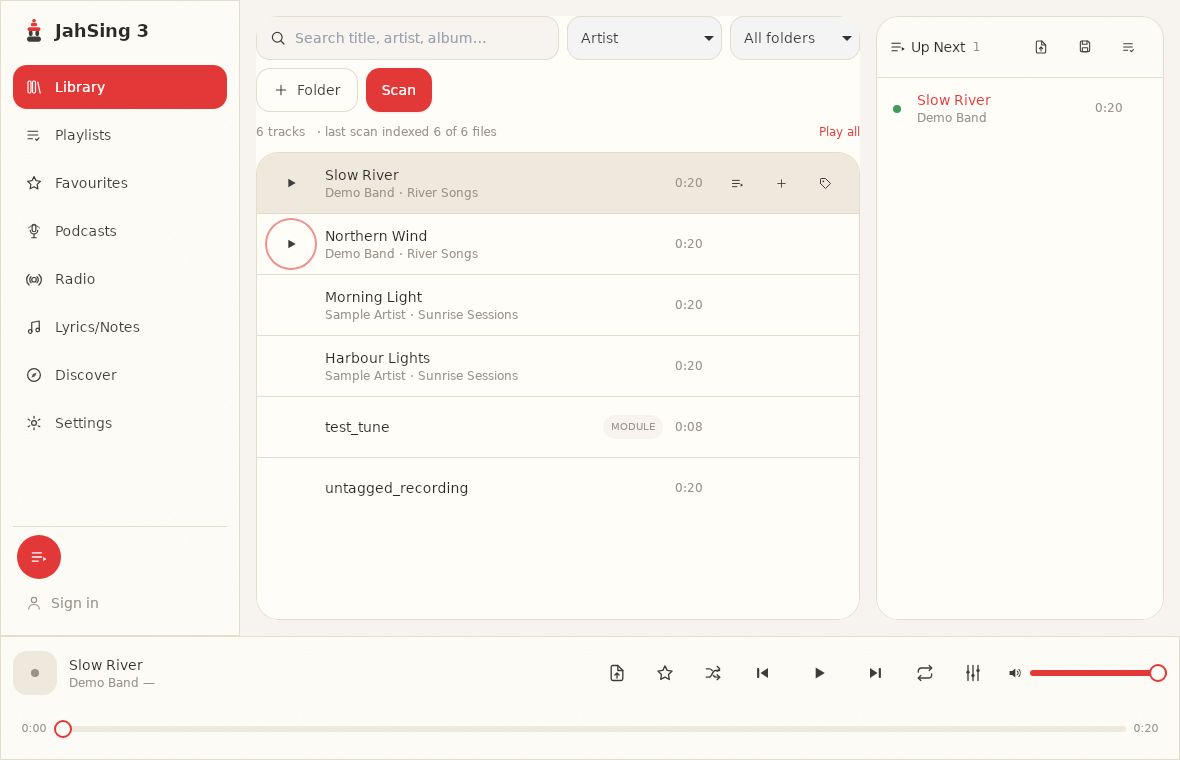
To see what is stored in a particular file, add the song to the queue and choose Information from its menu. The Track information window shows the title, artist, album, album artist, genre, year, track and disc numbers, a comment, and a “Has lyrics” line when the tag contains lyrics. It also shows the file’s format, bitrate and so on. Here are the same fields from three different kinds of file, all made for this article.
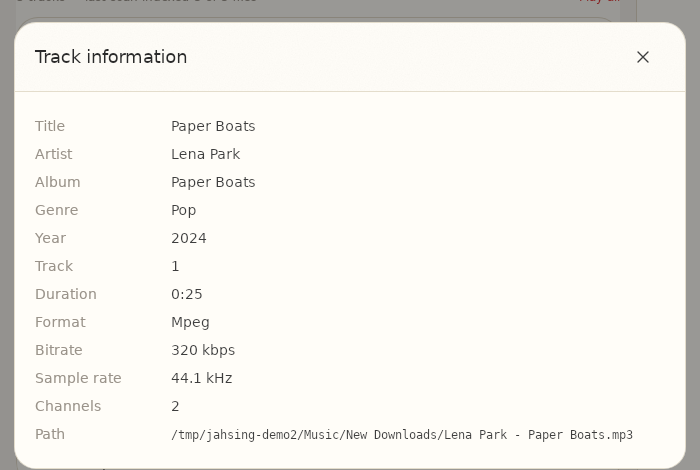
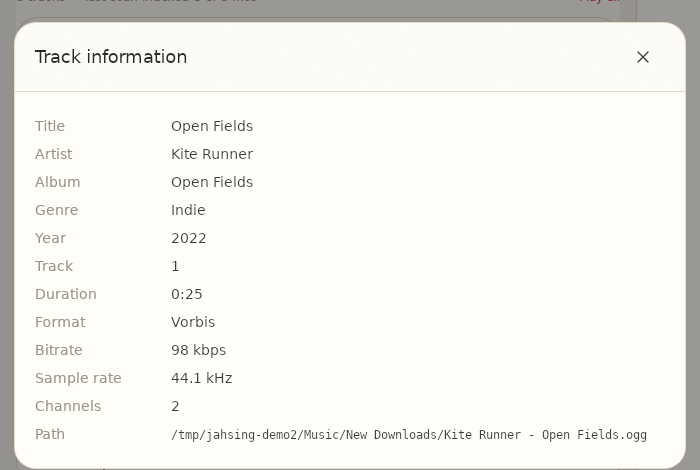
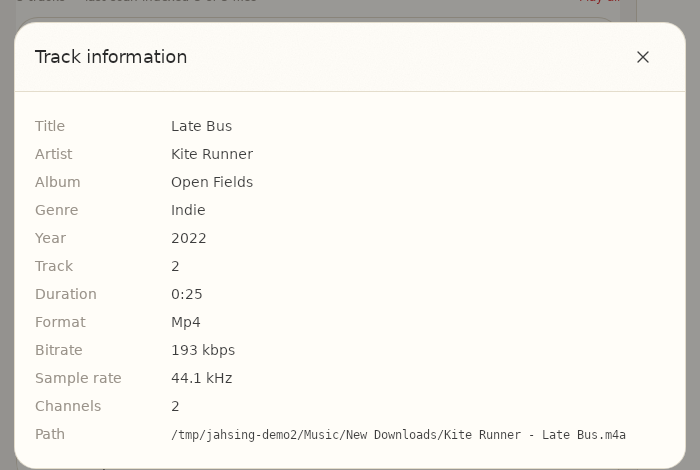
Notice that the screens look the same. That is the point: the differences are hidden for you.
Practical advice
- Do not worry about which system a file uses. Fill in the same fields in the same way.
- Prefer ID3v2 for MP3s. If a very old player cannot read your MP3 labels, it may only understand ID3v1. Most modern devices handle v2.
- Be careful with converting. When you convert a file from one format to another, the tags may or may not come along. Check the result with the Information window.
- Stick to the standard fields. Vorbis comments allow custom names, but a name that only one program understands does not help you elsewhere.
- Back up first. Saving tags changes the file itself, so keep a copy before a big editing session.
- Keep the picture size sensible. Embedded cover art makes each file bigger. A picture about 500 to 1000 pixels square is plenty for most players.
Why tags in the file beat a separate database
Some programs keep your labels in their own private database and leave the files alone. That works until you switch programs, and then your careful work is lost. Tags written into the file travel with it, to a new player, a phone or a car stereo. JahSing 3 does both things: it builds a fast index of your files for searching, and it writes your edits into the files themselves when you press Save to file. The index can be rebuilt from the files at any time with a scan.
In short
MP3 uses ID3, FLAC and Ogg use Vorbis comments, and M4A uses MP4 atoms. They are different boxes holding the same kind of information. JahSing 3 reads and writes all three, so you can work on a mixed collection without learning any of the details. You can download it from the Downloads page. For a step-by-step repair guide, see how to fix missing tags and album art.
Sources: ID3 (Wikipedia); ID3v2.4 frames; Vorbis comment specification; MPEG-4 Part 14 (Wikipedia); JahSing Features; JahSing 3 migration notes.