Smart Habits for Playlists That Don’t Turn Into a Mess
Nearly everyone who loves music has a playlist graveyard. There is “New Playlist,” “New Playlist 2,” “Stuff,” and one called “Road trip” that holds forty songs nobody can remember choosing. Playlists are quick to make and slow to tidy, so they tend to pile up. This article shares a few easy habits that keep them useful, and shows how playlists work in JahSing 3, which has its own way of doing things.
How playlists work in JahSing 3
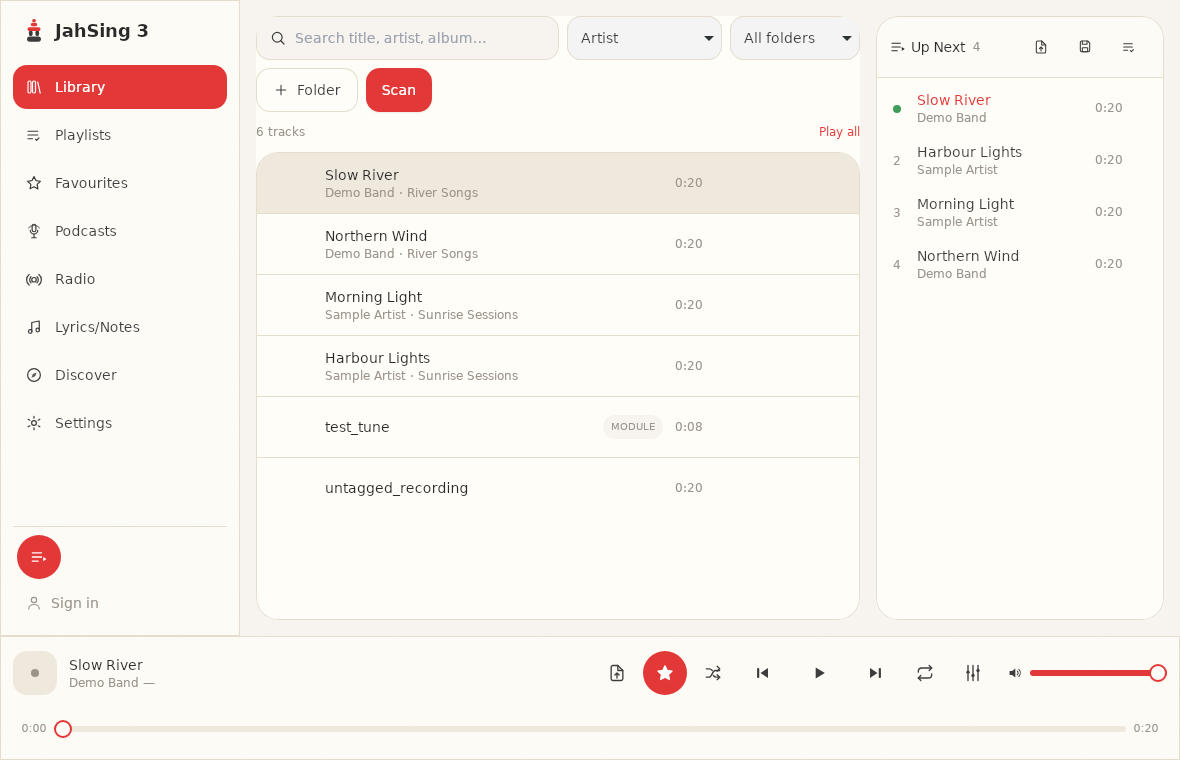
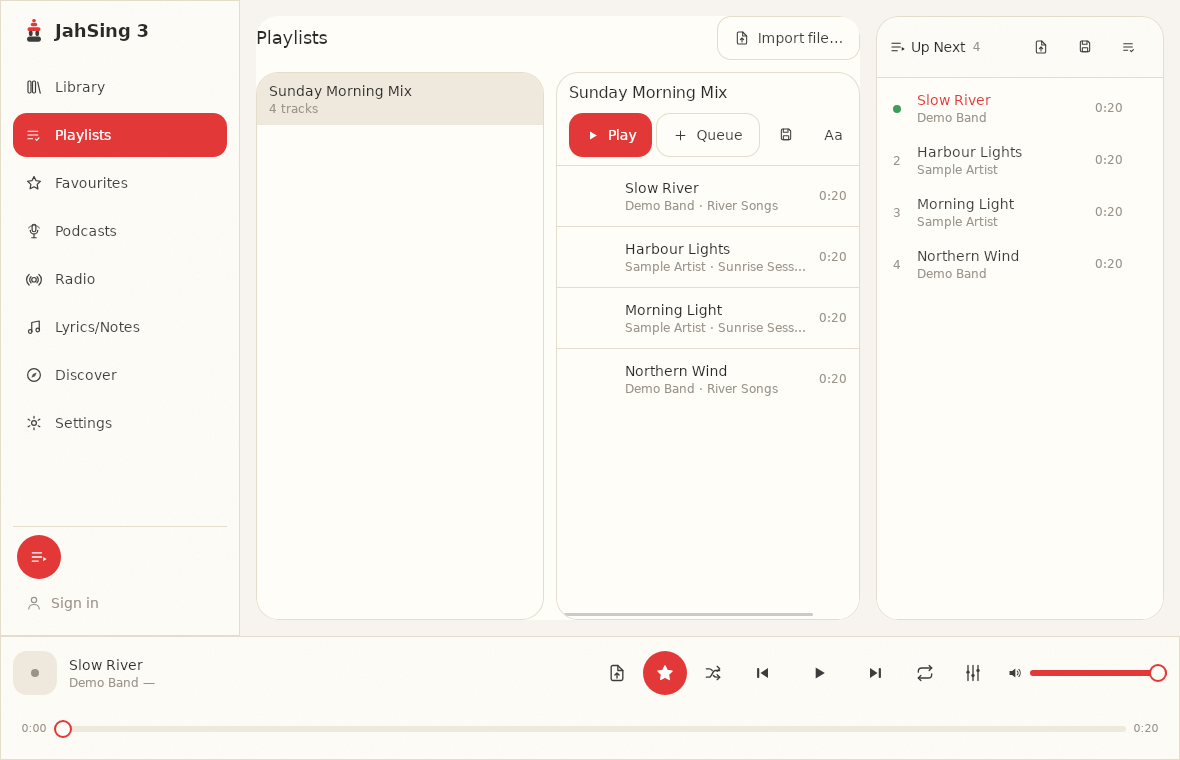
First, the basics. JahSing 3 builds playlists from the queue. The queue is the “Up Next” panel on the right side of the window. You line up some songs there, and when you like the lineup, you save it as a named playlist. The Playlists page then lists everything you have saved.
There is one important detail, and the app tells you about it right on the Playlists page: the play queue itself is not kept between launches. When you close the app and open it again, the queue is empty. Saving the queue as a playlist is how you hold on to a set of songs.
Saving a playlist, step by step
- Play a song, or add songs to the queue with the “Add to queue” or “Play next” buttons that appear when you hover over a song.
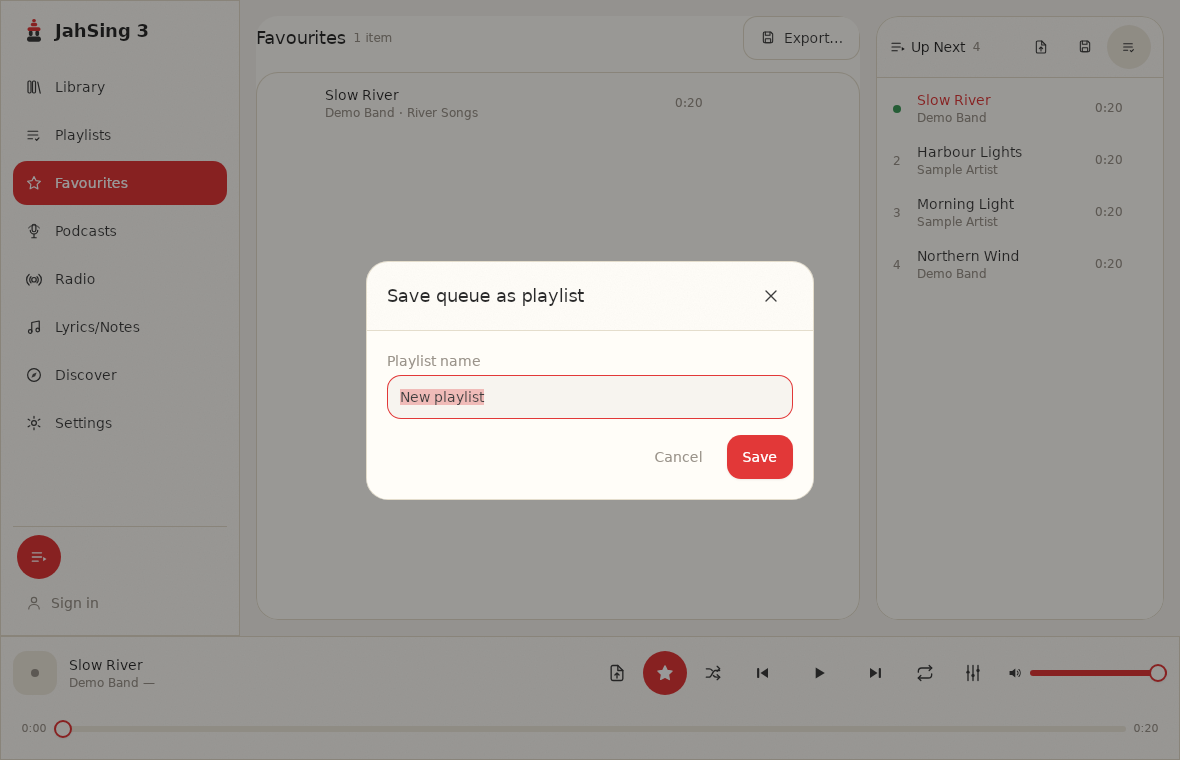
- When the queue looks right, press the third icon at the top of the Up Next panel, labelled “Save queue as named playlist.”
- Type a name and press Save.
- Open the Playlists page. Your playlist is listed on the left. Click it to see its tracks.
Habit 1: Give every playlist a job
The fastest way to a mess is a playlist with no purpose. Before you save one, finish this sentence: “This playlist is for ___.” Good answers are specific: “Sunday morning cooking,” “Focus work, no lyrics,” “Drive to the lake,” or “Songs for the party at Sam’s.” If you cannot finish the sentence, you probably do not need a playlist. You may just need a favorite (see our guide to favorites).
Habit 2: Use names you can sort and search
Names like “Mix 3” tell you nothing six months later. A simple pattern helps. For example, start with the occasion and add a short mood or year: “Cooking, Sunday jazz” or “Road trip 2026.” When the names follow a pattern, similar playlists sit together and are easy to scan.
If you ever want to change a name, open the playlist and use the Rename button. You do not need to rebuild it.
Habit 3: Keep them short enough to finish
A playlist of three hundred songs is really a library with extra steps. Aim for something you could listen to in one sitting, around an hour or so. Shorter playlists are easier to curate, and you will notice when a song does not belong.
Habit 4: Build from the queue, then tidy once
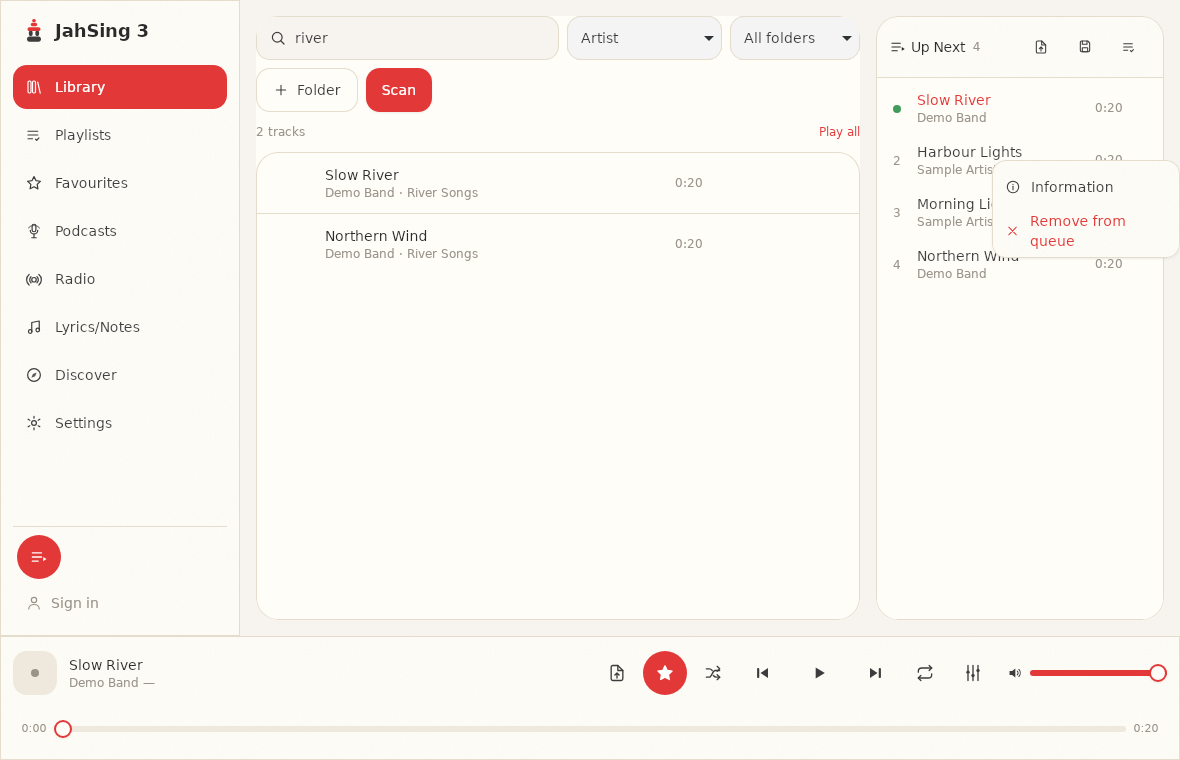
Because JahSing 3 saves playlists from the queue, a good rhythm is to build, listen, fix, then save. Line up songs, play through them, and take out anything that does not fit using the queue’s per-song menu (Remove from queue). Save the playlist only when you are happy with it. That keeps half-finished experiments from becoming permanent entries.
Habit 5: Keep a backup file of the playlists you care about
JahSing 3 can write a playlist out as a file. Open the playlist on the Playlists page and press “Export to file.” You can also save the current queue as a file from the Up Next panel. The common playlist formats it handles are M3U (and M3U8), PLS and XSPF, which many other players also understand. A backup file is useful if you move to another computer, or if you just like having a safety copy.
To bring a playlist back in, use the “Import file” button at the top of the Playlists page, and pick the file. It becomes a new saved playlist. Importing a playlist from another player is also a good way to move your old collections across. Our article on rescuing an old iTunes library shows an example.
Habit 6: Be careful when you move your music
Playlist files, in general, point to where the songs are stored. If you rename or move your music folders, a playlist may lose track of some songs, whatever player you use. So before you build lots of playlists, decide on a stable folder layout. If you do need to reorganize, scan the new location and check your playlists afterward. Keeping an exported backup file means you have a record of what each playlist contained.
Habit 7: Review once a year
Set a reminder, perhaps in January, to open the Playlists page and look through the list. Delete the ones you never play (the Delete button is on each playlist’s page). Merge the ones that overlap. It takes ten minutes and keeps the list useful.
A quick starter set
If you are not sure where to begin, try these four playlists and see how they feel:
- Everyday background: easy music you can leave on all day.
- Energy: songs for workouts and chores.
- Wind down: slow tracks for the evening.
- New and untested: a holding pen for recent finds. Move the keepers to a proper playlist and clear the rest every month.
The short version
Give each playlist a purpose, name it clearly, keep it short, build in the queue and save once, back up the ones you love, and look them over once a year. JahSing 3 makes the saving and exporting simple, and the habits do the rest. You can get the player from the Downloads page.
Sources: JahSing Features; M3U (Wikipedia); PLS file format (Wikipedia); XSPF (Wikipedia).