Playing Ogg Vorbis: The Free Music Format You May Already Own
You may have an Ogg Vorbis file on your computer and not know it. Maybe a game saved its soundtrack in that format. Maybe a free music site offered it as a download option next to MP3. Maybe an old Linux installation put it there. Ogg Vorbis is one of the quiet success stories of digital audio: free to use, good-sounding, and supported by JahSing 3. This article explains what it is, where it came from and how to work with it.
What is Ogg Vorbis?
The name has two parts. Vorbis is the way the sound is squeezed into a smaller size. It is a lossy method, like MP3 and AAC, which means it throws away some detail that most people will not miss. Ogg is the type of container, or wrapper, that holds the sound. Together you get files that end in .ogg (and sometimes .oga). Another modern codec from the same family, called Opus, also uses the Ogg wrapper and often shows up with an .opus ending. JahSing 3 recognizes .ogg, .oga and .opus files.
Where did it come from?
The history is a good story. In September 1998, the Fraunhofer Society, which helped create MP3, sent a letter announcing plans to charge license fees for its MP3 software. People who worked on free software worried that an important music format might become costly to use. A group at what became the Xiph.Org Foundation, led by a developer named Christopher “Monty” Montgomery, began work on an alternative that anyone could use for free. According to this history of Vorbis, the file format was frozen for 1.0 in May 2000, and a stable 1.0 release of the reference software arrived on July 19, 2002.
The project was meant to avoid the legal worries around patents. In 2001 the license was changed to a more permissive one, which made it easier for companies and hobbyists to build it into their programs.
The MP3 story had a twist. Fraunhofer’s patents later expired and the MP3 licensing program ended in April 2017, so MP3 is free to use too. But Vorbis was already established by then, and it stayed popular in places that liked an open format.
Why would anyone choose it?
- It is open and free. Nobody charges to make or play the files.
- It holds up well at modest file sizes. Many listeners find Vorbis at a given bitrate sounds as good as or better than MP3 at the same size, although opinions differ and results depend on the music.
- It handles labels well. Vorbis files store the title, artist, album and so on in a flexible label system called Vorbis comments.
- It is common in games and apps. Many game developers choose it for soundtracks and sound effects because there are no license fees.
Where you might already have Ogg files
- Folders of music from games you own. Look inside the game’s install folder for a “music” or “sound” directory.
- Free and open-licensed music sites that offer several download formats.
- Old downloads from the early 2000s, when some free-software fans ripped their CDs to Ogg.
- Recordings from some voice and field recorder apps.
How to play Ogg files in JahSing 3
There is nothing special to set up. JahSing 3 plays Ogg Vorbis with the same engine as everything else.
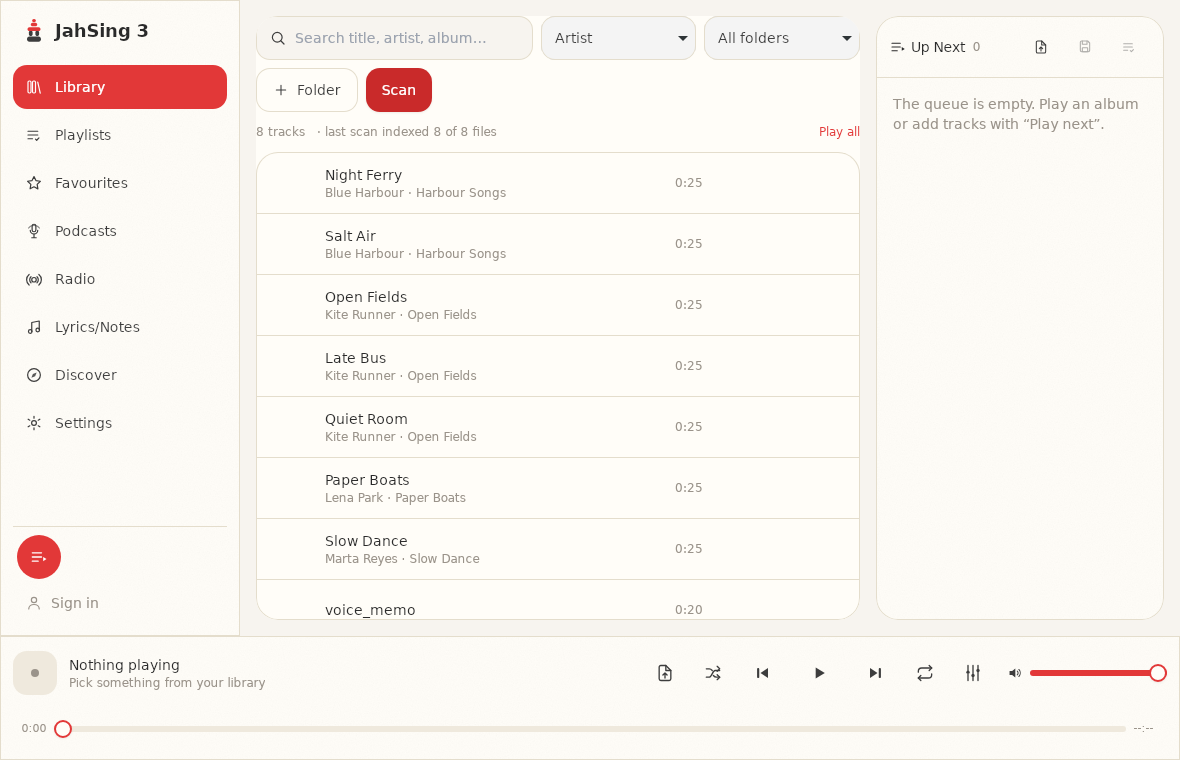
- Open the Library page and use the Folder button to add the folder that holds your .ogg files.
- Press Scan. JahSing 3 reads each file and adds it to your library.
- Use the search box or browse the list. Press the play button that appears when you hover over a song.
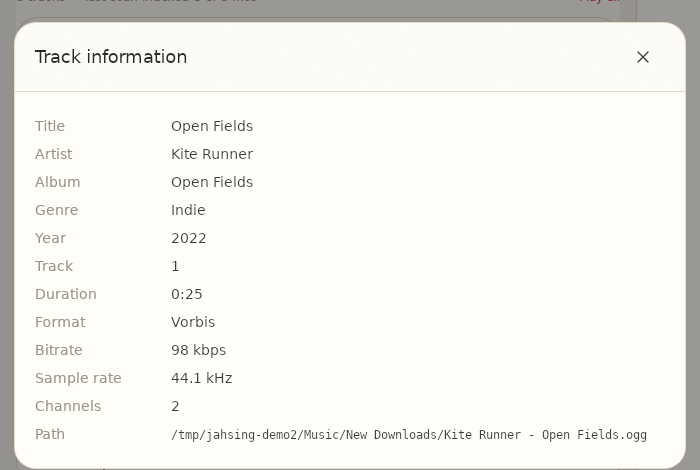
Checking what you have
Because the filename does not tell you everything, the Track information window is handy. Add the song to the queue, open its small menu and choose Information. For an Ogg Vorbis file, the Format line reads “Vorbis,” and you can see the bitrate, sample rate and channels.
Fixing tags on Ogg files
If an Ogg file has missing or wrong labels, you can repair them in JahSing 3. The Features page says the tag editor writes ID3 labels (MP3), Vorbis comments (Ogg and FLAC) and MP4 labels (M4A). Hover over a song, press the Edit tags button, change the fields and save. We cover the whole process in our guide to fixing missing tags and album art.
Is Ogg Vorbis better than MP3?
People argue about this, and you will find strong opinions online. A fair summary is that both are lossy formats that sound good at reasonable settings, and the difference at high bitrates is small for most people. The main practical difference is compatibility. MP3 plays almost everywhere, including old car stereos and basic phones. Ogg Vorbis is well supported on computers and many apps, but some older hardware does not know it. If you want to play your music in many places, MP3 or AAC is the safer pick. If you are sure about where it will be played, Vorbis is a fine choice.
A note on Opus
If you see .opus files, they are newer and designed with voice calls and streaming in mind. JahSing 3’s scanner includes the .opus ending, so these appear in your library too. Opus is also royalty-free, and you will meet it in modern voice and chat programs, and in some podcasts.
Wrapping up
Ogg Vorbis may not be the best known music format, but it is free, capable and well supported. If you find some in a folder, there is no need to convert them. Add the folder, scan, and play. You can download JahSing 3 from the Downloads page.
Sources: Vorbis (Wikipedia); Vorbis 1.0 release announcement (Xiph.Org mailing list); Fraunhofer IIS on mp3 patents and licenses; JahSing Features.