Tracker Music: A Short History, and Where to Find It Today
Before streaming, before MP3s took over, there was a different kind of computer music. It came in tiny files, it sounded unmistakably like old video games and demo programs, and it was made with a strange kind of software called a tracker. Fans still make and share it today. Here is where it came from, where to find it, and how to play it in JahSing 3.
What is a tracker module?
Most music files, like MP3s, are recordings. A tracker module works more like sheet music packed together with the instruments. The file holds short sound samples (a drum hit, a bass note, a snippet of a voice) and a long list of instructions saying which sample to play, when, and how high or low. The player puts it all together live.
That is why modules are so small. A whole song can fit in a few dozen kilobytes. The files are called “modules,” and you will often see them with the endings .mod, .xm, .s3m and .it.
Where did it all start?
The story begins on the Commodore Amiga home computer. In 1987, a programmer named Karsten Obarski released a program called Ultimate Soundtracker for a German company, EAS Computer Technik. He built it to help a friend make the music for a game. The files it created became known as MOD files, which gave the whole style its common name, according to this history of trackers and the overview on Wikipedia.
The Amiga could only play four sounds at once, so early songs had four “channels.” Musicians got very clever at squeezing full tunes out of that limit. Soundtracker was not a big commercial hit, but it inspired many copies and improvements, with ProTracker and NoiseTracker among the most famous.
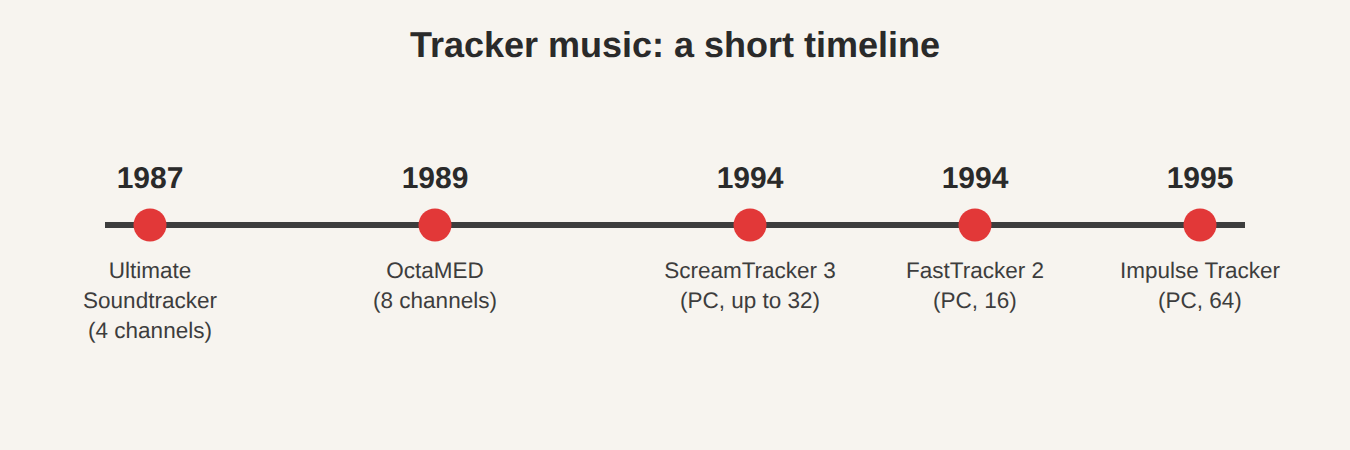
Then the idea moved to the PC. Over the next few years, new trackers raised the number of channels: OctaMED on the Amiga in 1989, then ScreamTracker 3 and FastTracker 2 in 1994, and Impulse Tracker in 1995. The PC file types you may meet are S3M (ScreamTracker 3), XM (FastTracker 2) and IT (Impulse Tracker), as listed in the Sonic State guide to trackers.
Why did people love it?
- Tiny files. Perfect when hard drives were small and downloads were slow.
- Total control. You could see every note laid out on screen, like a spreadsheet for music.
- A shared community. Musicians swapped modules on bulletin boards and passed them around in the “demoscene,” where programmers show off flashy computer art with music to match.
- Open to learn from. You could open another person’s song and see exactly how they built it.
Where can I find tracker music today?
The best place to start is The Mod Archive. It began in 1996 as a place for tracker artists to upload their work and is run by volunteers. It hosts a very large collection of MOD, S3M, XM and IT files, many of which you can download for free. One important note: the files are free for private listening unless the artist has said otherwise. Please respect that, and do not reuse the music in your own videos or games without checking the artist’s permission. You can read more about the site on its Wikipedia page.
Other places to look include demoscene archives and individual artists’ pages. Many game developers also offer module packs that are free to use in projects, with the license written in the download. Always read the license first.
Playing modules in JahSing 3
This is the easy part. JahSing 3 treats tracker modules as music, just like MP3s. It recognises the common module file types, including .mod, .xm, .s3m and .it, and plays them with a built-in decoder. You do not need to install a special plug-in.
To get started:
- Download a few modules from a source like The Mod Archive into a folder.
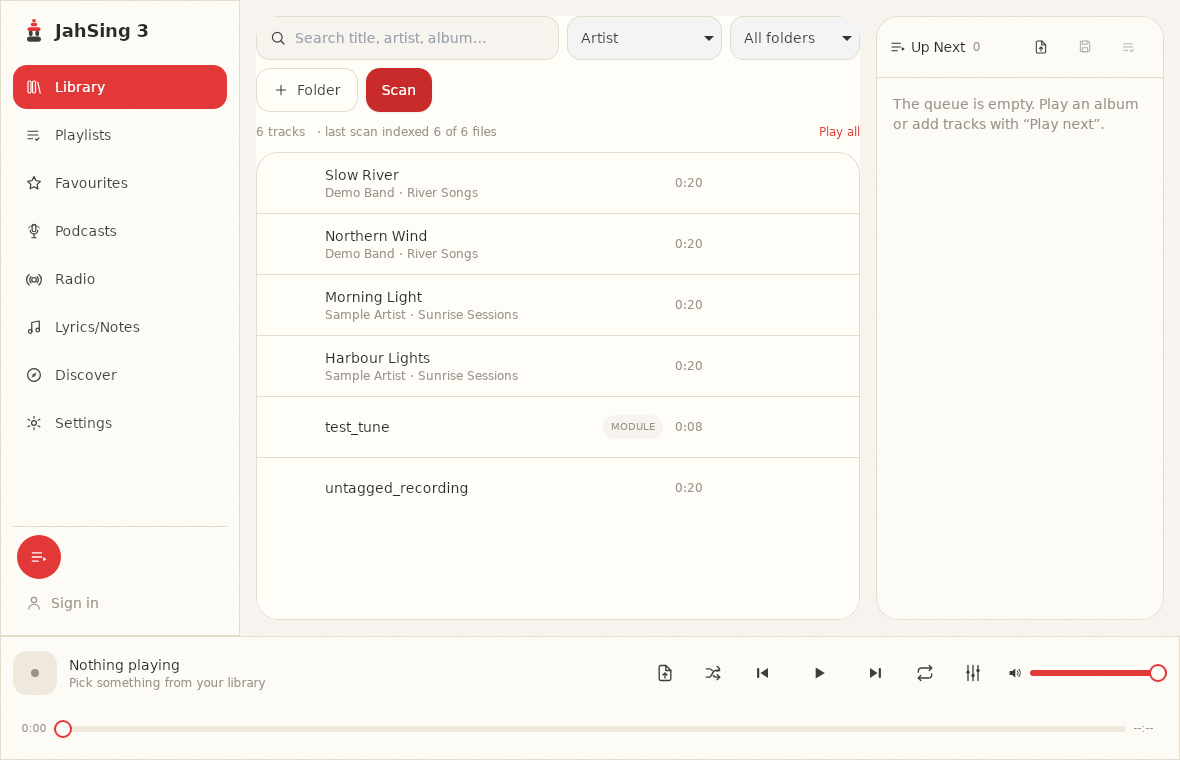
- In JahSing 3, choose Folder and point it at that folder, then press Scan.
- Your modules appear in the library list. Select one and press Play.
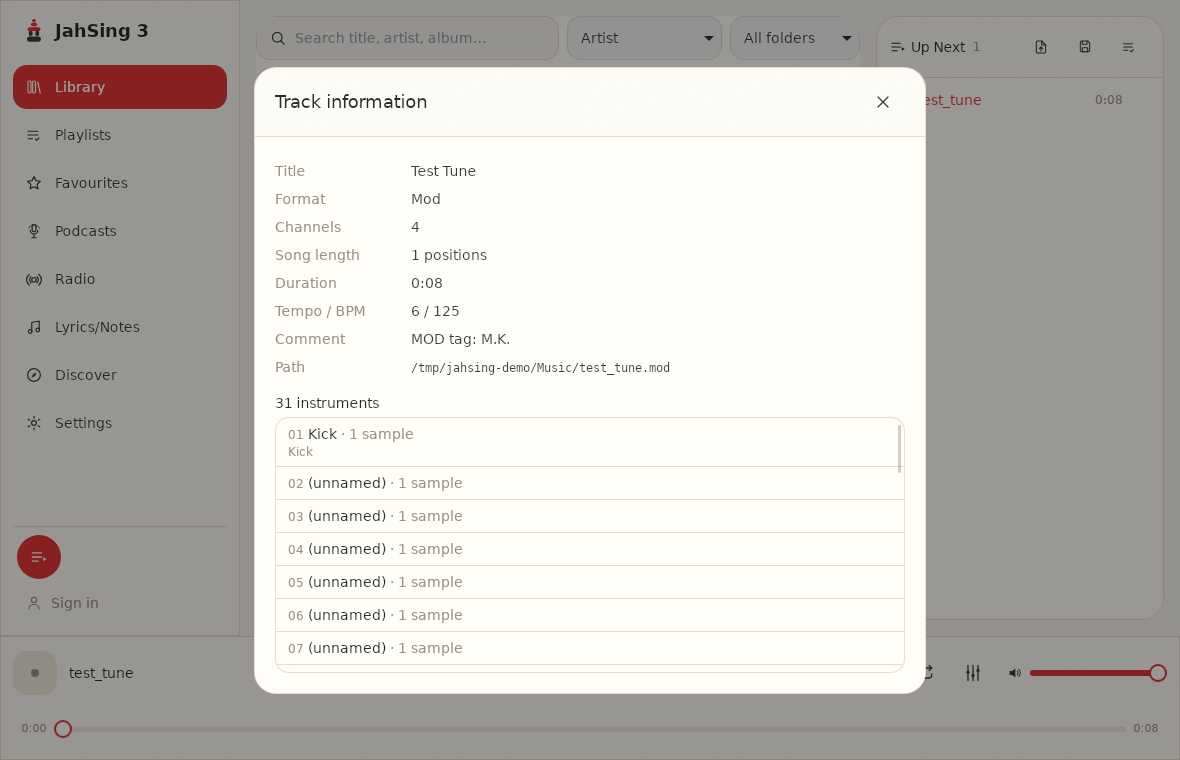
For modules, JahSing 3 can also show an information panel with the behind-the-scenes facts: the file format, how many channels it uses, the length, the starting speed, and the list of instruments and the sound samples inside. It is a neat way to peek under the hood, and a friendly way to learn how a tune was built. To open it, add the module to your queue, right-click it in the Up Next list and choose Information.
What to expect from the sound
Modules do not sound like a recorded band. They sound like what they are: samples played by a computer. Some have a crunchy, retro charm. Others, especially from later trackers, sound surprisingly rich. Try a few from different years and you will hear the changes in the style.
Is tracker music still being made?
Yes. Modern trackers keep the same idea but run on current computers, and artists still release new modules every year. Some blend the old, chunky style with modern sound design. If you enjoy the sound, many artists on The Mod Archive are still active, so you can follow along.
Wrapping up
Tracker music is a small, friendly corner of music history. It began with one program on one home computer and grew into a worldwide hobby. With a good archive and a player that understands it, you can listen to decades of it for free, and with JahSing 3 it plays right alongside the rest of your collection.