What “Local-First” Means, and Why JahSing 3 Is Built That Way
If you have used a streaming service on a plane, in a tunnel or in a house with bad wifi, you know the feeling. The app opens, a little wheel spins, and nothing plays. The music you “own” is not really yours to reach. Local-first software tries to avoid that problem on purpose. JahSing 3 is built this way, and this article explains what the term means and what you notice when you use it.
The short definition
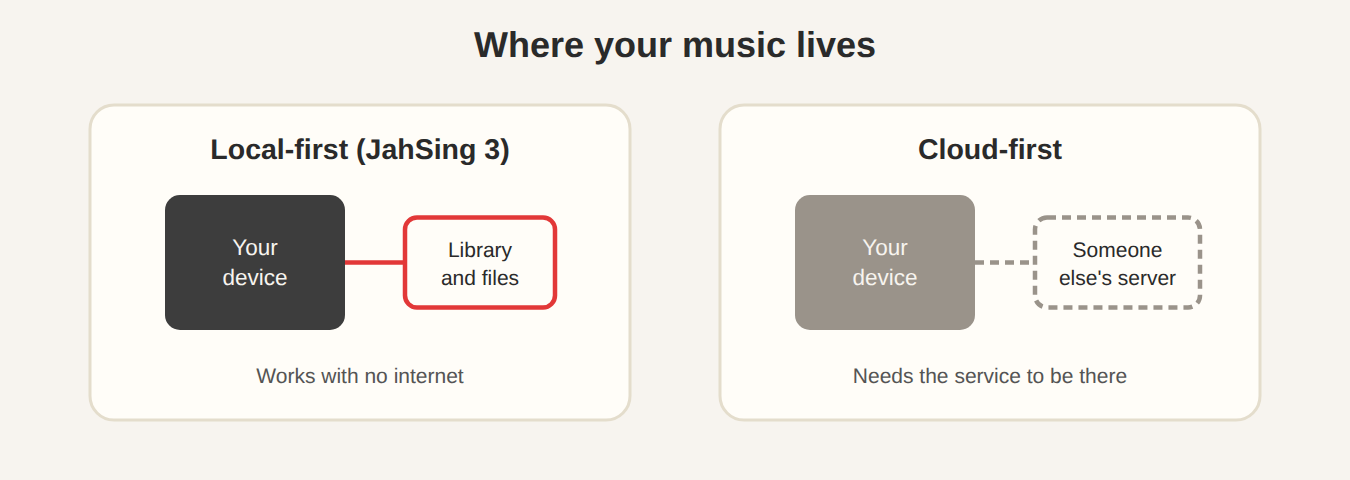
A local-first program keeps your data on your own device, and treats the internet as something that helps rather than something it cannot live without. The phrase was popularized by a research group called Ink & Switch in a well-known 2019 essay. They set out a list of ideals for software, and several of them are easy to picture with a music player:
- It is fast. You do not wait on a server to show your own library.
- It works offline. The network is optional.
- It lasts. Your files are still usable if the company behind the program goes away.
- It respects privacy. Your data is not sent anywhere unless you choose to send it.
- You stay in control. You keep ownership of what you create or collect.
How JahSing 3 puts this into practice
Your library is a file on your computer
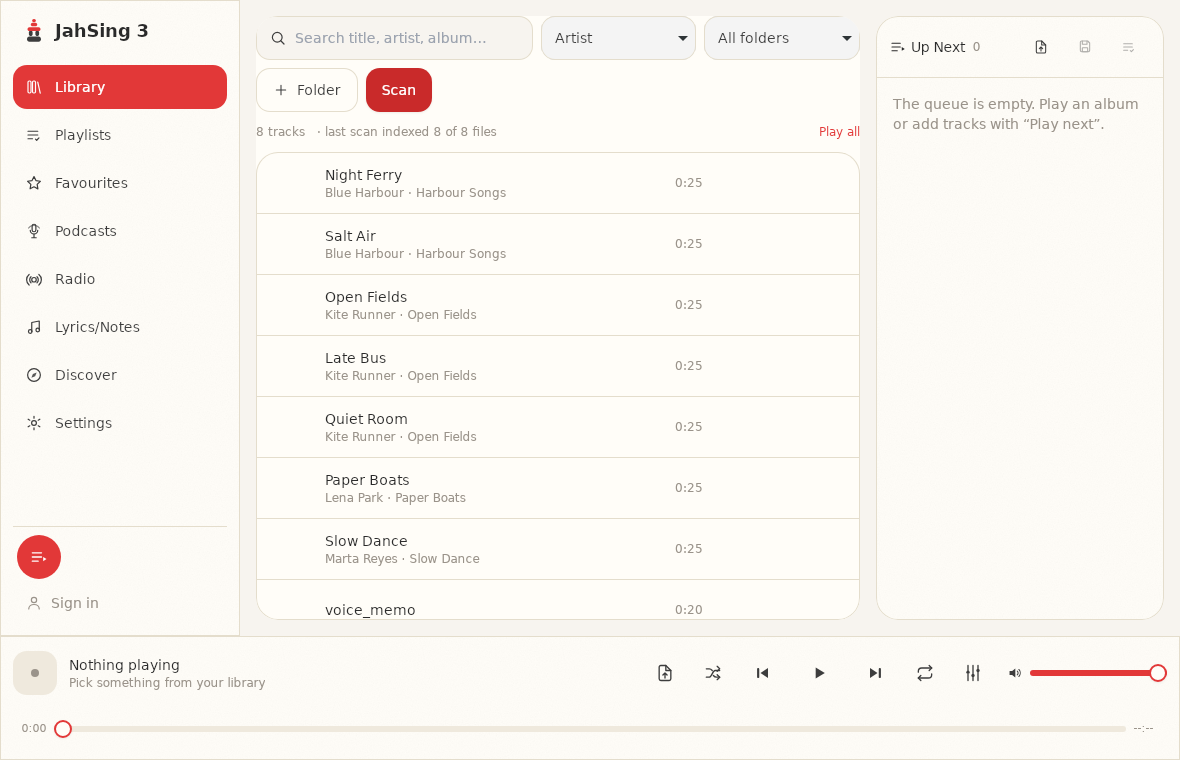
When you add a folder and press Scan, JahSing 3 reads the songs once and keeps a small database on your own computer. From then on, search and sorting work from that database. This is a deliberate change from JahSing 2, which re-read song labels whenever it needed them. Searching a library does not involve any network at all.
The core player works without the internet
As noted in the Features page, JahSing 3 has a local-first design with no telemetry, and the core player functions offline. In practice, playing your own files, using the queue and favorites, editing tags and tuning the equalizer do not need any connection. Some features do need one, because they are about the outside world: internet radio, podcasts, looking up lyrics and fetching missing cover art. Those use public services, and when you are offline they simply have nothing to show.
An account is optional
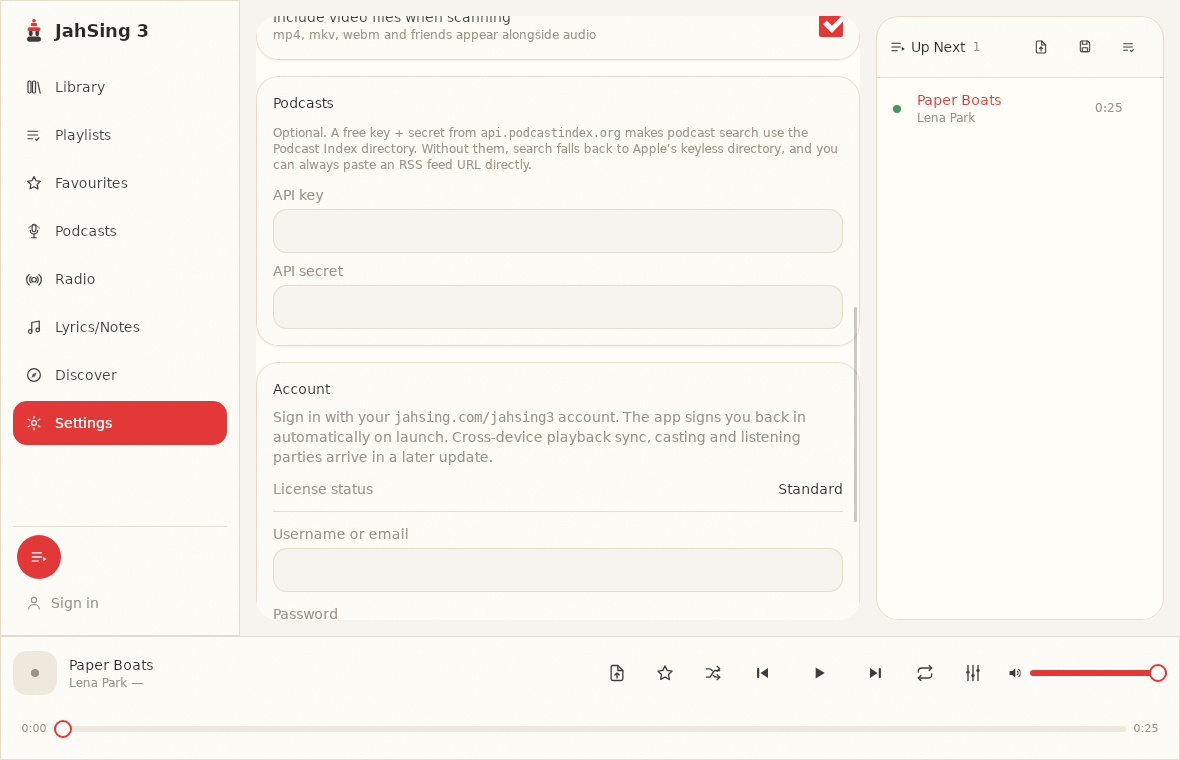
You do not need to sign in to use JahSing 3. The Settings page has an Account section, where the license status for a regular install reads “Standard.” Cross-device sync, casting and listening parties are planned for a later update. The project’s roadmap says plainly that none of the planned online features are required to use the player.
No tracking
The project states that JahSing 3 has no telemetry, meaning it does not quietly send reports about what you do back to the company. That is part of the same thinking: if your data stays with you, there is less reason for it to travel.
What you give up, and what you get
It is fair to ask what the trade-offs are. A local-first music player does not hand you a catalog of millions of songs. You bring your own music, from CDs you ripped, albums you bought, recordings you made or files you collected. In return you get a few things that streaming does not offer:
- Songs that cannot vanish. A track in your folder stays there. Streaming catalogs change, and songs can be removed.
- Control over the format. You decide whether to keep lossless FLAC files or smaller MP3s.
- Rare and personal audio. Live recordings, home demos and tracker music are usually not on streaming services.
- No monthly fee for playing what you own. JahSing 3 is free for local music, and some advanced features are available through a subscription.
Local-first does not mean offline-only
JahSing 3 is not cut off from the internet. It can search radio stations, subscribe to podcasts and look up lyrics. The point is the order of importance: those features add to a player that already works, instead of being the thing that makes it work. The planned second phase adds optional accounts, syncing and casting. Again, the plan states these are extras.
A simple test you can try
If you want to see for yourself, here is an easy check. Turn off your wifi, open JahSing 3, and play a song from your library. It should start straight away, and the library, queue and equalizer should work as normal. Then try the Radio page. You will see the difference immediately: the part of the program that depends on the network says so, and the rest carries on.
You can download JahSing 3 from the Downloads page, or read more about the project’s plans on the About & Roadmap page.
Sources: Local-first software: You own your data, in spite of the cloud (Ink & Switch); JahSing Features; JahSing About & Roadmap.